CCW Vegas

Join us in Las Vegas, June 22–25 for live AI demos, roundtables & 1:1s

Book a 1:1
Built for Contact Centers

Local-First Voice & Screen Intelligence

It runs entirely offline on the agent’s desktop, giving you total data privacy and zero integration costs -whether you deploy fully local, hybrid, or Bring Your Own Keys.

Download for free
Available for Windows
Windows and Mac · 7 days of premium features included
SOC II Type-II
GDPR Compliant
ISO 42001
Hipaa Compliant
The problem
The call Ends. The work doesn't.
Every conversation leaves behind manual CRM logging, third-party cloud risks, and fragile connectors.
Manual ACW & CRM logging
Repetitive after-call work (ACW) forces agents to retype notes and update fields across multiple tabs instead of taking the next call.
Lack of data control
Most tools force all call data into their proprietary clouds, giving you zero control over your data boundaries or model choice.
Per-minute STT & API costs
Cloud speech-to-text (STT) fees, LLM token pricing, and broken REST API connectors scale up your costs on every single call.
How edge works
Capture. Act. Learn.
Choose Models

One Platform. Three Ways to Run AI.

Launch Edge on your Mac or Windows desktop. Choose Local AI or Cloud AI and you're ready to capture every conversation securely.

Local AI

Run AI models entirely on your device for maximum privacy, low latency, and offline capability.
Cloud AI (BYOK)

Connect your preferred cloud models like OpenAI, Anthropic, or Gemini using your own API keys.

Hybrid AI

Combine local and cloud AI, routing tasks to suitable models and coordinating multiple agents for a single, optimized response.

Capture

Record Meetings Without Using Bots

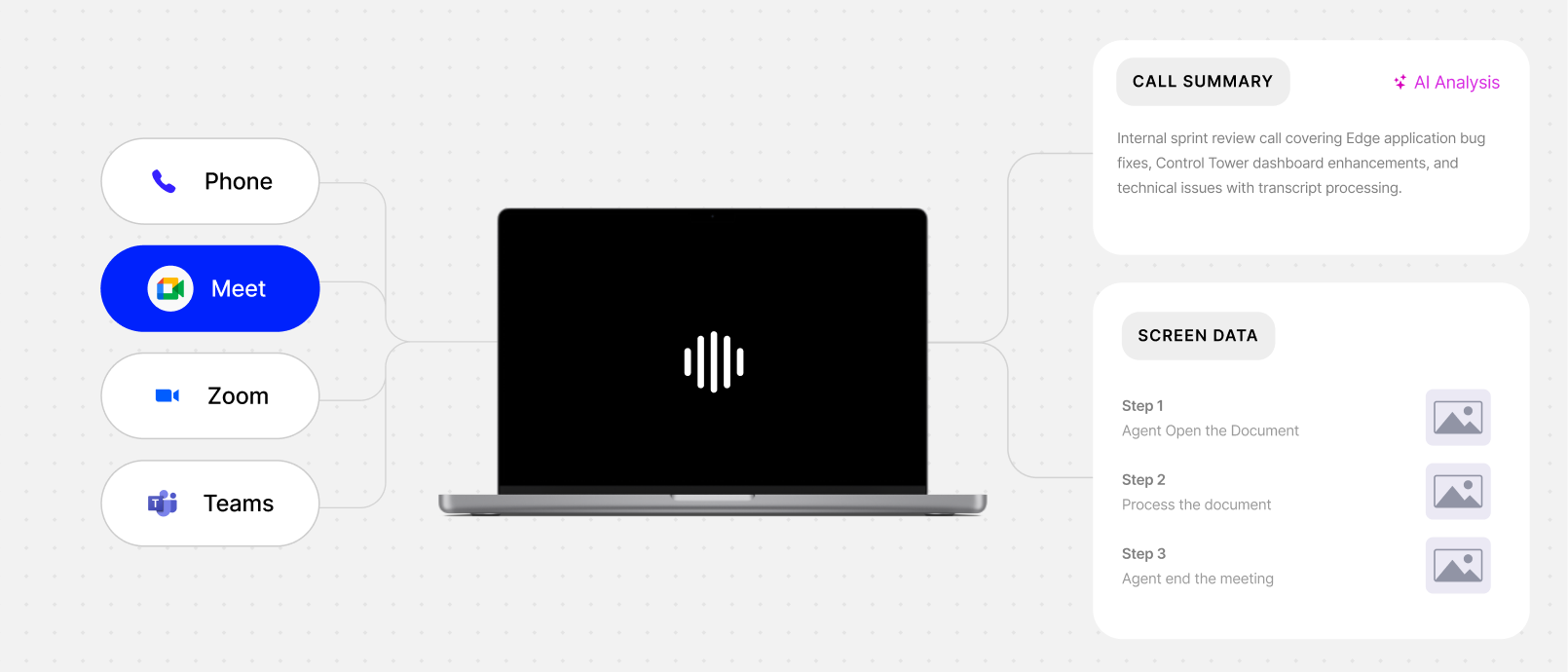
Records Conversations from your desktop audio and microphone without a bot joining the meeting. Edge transcribes calls, captures next actions, and creates notes the way you want.

Edge Action

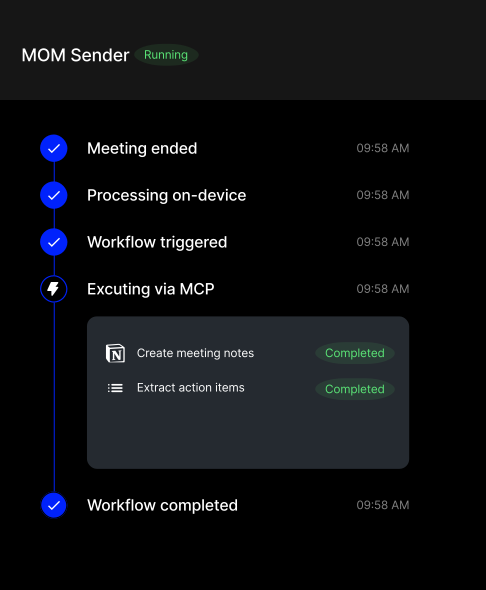
Executes the next step directly

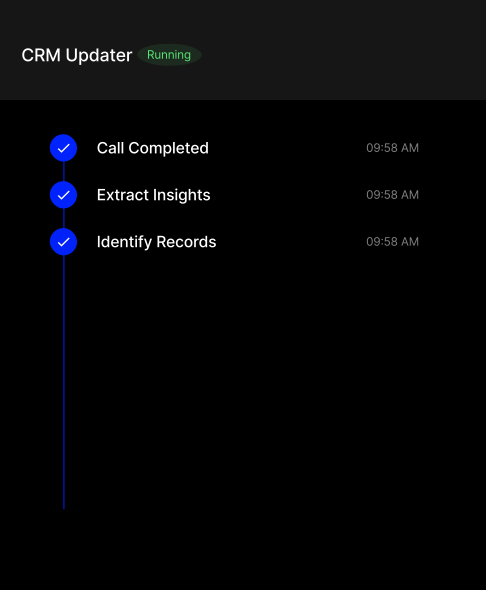
Edge turns conversations into actions across the tools your team already uses, reducing manual work and preventing details from being lost during handoffs.

Edge Intelligence

Turn Team Knowledge Into Automated Workflows

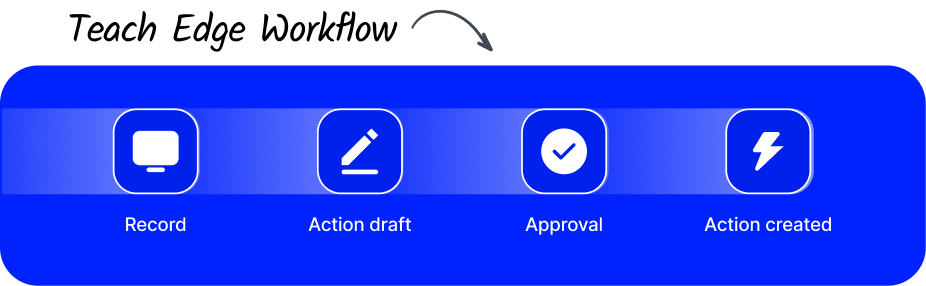
Turn what your team already knows into work Edge can do by itself. Create repeatable workflows based on the expertise of your best agents.

Thunai Edge
Audio
Video
Screenshots
Summary
Analytics
Transcript Yes i got the answer
Edge and Thunai
Start with Edge. Scale into the full platform.
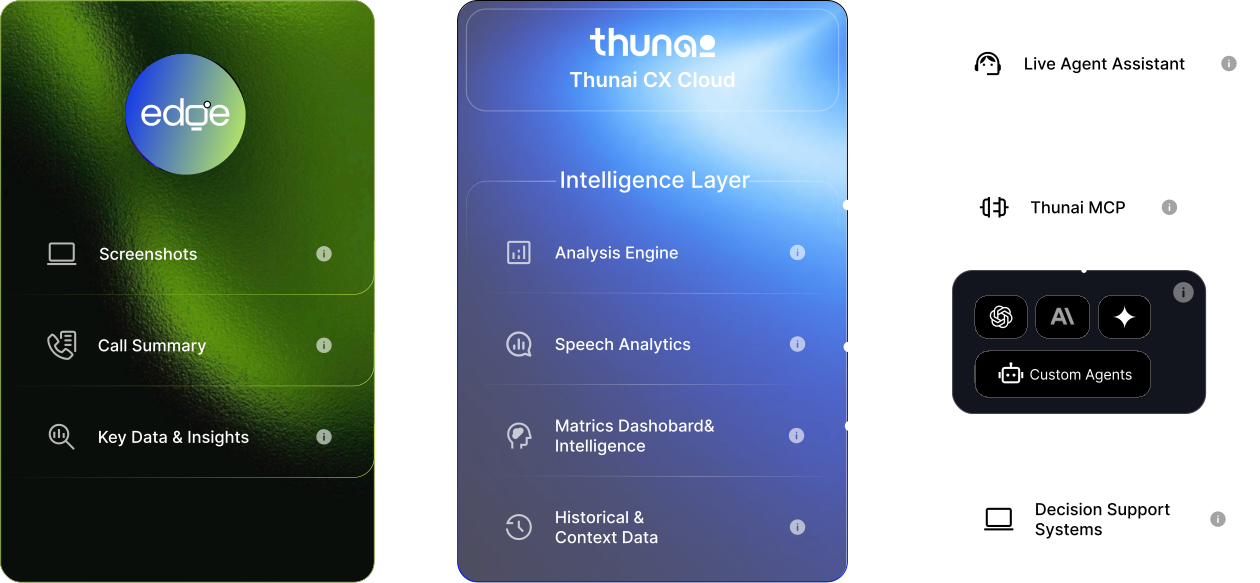
Edge captures work on the device and feeds the Thunai intelligence layer.
Why Local AI
On-device AI that understands your screen
It works offline and keeps your data where it belongs.
Lower cost
Cost per minute is near zero.
Compliance by design
Your voice and screen data stay on the device.
Zero integration
Works on legacy apps without APIs.
Real-time speed
Low latency, and it runs offline.
Your AI PCs
No special hardware or rollout.
Choose the model that fits
Local AI
Local AI
Hybrid AI
Cloud AI (BYOK)
How it runs
Entirely on your device
Routes tasks between local and cloud
Your own OpenAI, Anthropic or Gemini keys
Privacy
Maximum
Controlled by policy
Depends on provider
Offline
Yes
Partly
No
Best for
Regulated teams
Mixed workloads
Teams with existing AI contracts
− 32%
Lower average handle time
− 2.4 min
Less after-call work per call
+ 28%
Of calls QA-scored
120+ hrs
Saved per agent each week
Turning great experiences into powerful outcomes
Teams are already using Thunai Edge to capture how work gets done and turn it into consistent, high-quality outcomes.
UNITED AIRLINES
BRINKSHOME
WINDSTAR CRUISES
Cresta
“Thunai Edge helps capture the steps behind everyday work and turn them into reusable knowledge.”
Sarah Mitchell
Head of Customer Operations
UNITED AIRLINES
Reduction in repetitive queries
45%
“It gives our team a single source of truth based on real work, which has improved consistency across agents.”
James Carter
VP Customer Experience
BRINKSHOME

Built for Contact Centers and Regulated Industries

Purpose-built for the work that matters most.

Generate consultation summaries while staying focused on your patients.

Resolve customer issues faster with complete conversation and screen context.

Capture every objection, commitment, and follow-up automatically.

Never lose feature requests, decisions, or customer feedback again.

Transform meetings into repeatable processes and documentation.

Works where your team already works.

Security
Your data stays where it belongs
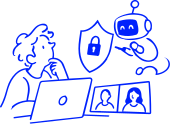
Local AI keeps audio and screen data on the device. Cloud and Hybrid modes use only the keys you provide.
Stays on device
Audio, screen, transcripts.
->
Leaves only if chosen
Cloud or Hybrid mode, with your own API keys.
->
You stay in control
Keys, models and policy.

Start capturing conversations today.

Edge securely learns how work happens across your desktop, as  meetings and tasks unfolds. AI captures context, recognizes important moments, and provides real-time assistance when you need to make your best people faster.

Free to install. 7-Days Full Access to Premium Features.

FAQ

Questions,
answered.

Everything you need to know about Thunai — how it deploys, what it integrates with, and how we handle your data. Don't see your question? Our team replies within 24 hours.

How long does it take to deploy Thunai?

Most customers are live in under 2 days. Thunai sits on top of your existing CCaaS, CRM, and helpdesk via secure APIs — there's no rip-and-replace. A typical rollout includes a 1-hour kickoff, knowledge-base ingestion, and a sandbox pilot before going live to your full team.

Will Thunai replace my agents?

No. Thunai is designed to support your existing team by reducing repetitive work, surfacing useful insights, and helping agents focus on more meaningful customer interactions.

Which systems and channels does Thunai integrate with?

Thunai is designed to work with your existing business systems, including contact-centre platforms, CRMs, helpdesks, and communication channels through supported integrations and APIs.

How does Thunai handle data privacy and security?

Thunai is built with data privacy and security in mind. Deployment, access, and data-handling policies can be aligned with your organisation's requirements. Contact our team for specific security and compliance details.

What languages does Thunai support?

Language availability depends on the selected capabilities and integrations. Contact our team to confirm support for your required languages.

What does pricing look like?

Pricing depends on your deployment model, required capabilities, usage, and integrations. Book a demo to discuss a plan that fits your organisation.