
What Makes A Great Contact Center Software For AI?
A good AI-powered contact center solution shouldn’t take over the conversation completely, but minimize the amount of repetitive tasks teams do.
We’ve put together our top 10 choices below — including Thunai, which we recommend for enterprises interested in a more governed approach to AI-powered customer service and looking to deploy on-premises.
1. Thunai
Thunai is an enterprise AI customer experience platform that offers support via voice, chat, and email. Thunai’s AI agents help customers with basic queries, while its real-time agent assist feature helps them tackle complex cases.
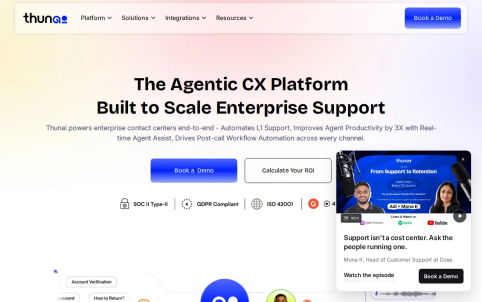
With this tooling, CIOs and contact center leaders have access to a governed way of implementing automation, human support, and what happens after the interaction concludes.
Thunai also has unified knowledge management, quality evaluation, and enterprise governance capabilities available as part of its platform. Users can opt for self-hosted or on-premise deployments if they want more control about where their customer data runs. Deployment options are important if you have a requirement that all of your customers’ data needs to be hosted within your own environment.
Thunai also has a few nice-to-have workflows around triage, escalation and CRM activities. You could have an AI agent handle your entire support desk operation (assuming they’re okay with using chatbots) or escalate complex requests to an L2/L3 team.
To learn more about how Thunai AI agents can help integrate into contact centers, visit Thunai’s enterprise contact center AI agent page. The software includes a free demo so you can run your workflow through Thunai to validate if they meet your specific requirements. They will provide enterprise pricing upon request. If you’re an enterprise looking for data residency and governance, then this product fits the bill well. Make sure their deployment option meets your requirements.

2. Genesys Cloud CX
Our assessment is that Genesys Cloud CX will be most attractive to large enterprises needing an integrated contact center that are able to plan for a more structured implementation process.
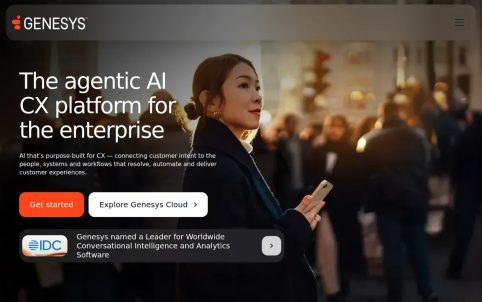
Genesys provides an AI-powered customer experience orchestration system with omnichannel routing capabilities along with some native workforce engagement management features.
These components work together to help coordinate between different channels as well as contact center operations within one cloud-based platform.
According to the company, its architecture consists of specialized services that interconnect through APIs.
This architecture works well for companies where they have teams of developers who may need to link into their systems and define custom workflows.
Another big difference here is the cloud-based nature of this software versus a self-hosted one; your infrastructure will be managed as a cloud service instead of running on your enterprise’s premises.
If you’re looking at Genesys because of data residency requirements, check out what deployment regions and real-time media processing near agents and customers look like. Work closely with your security team to make sure these things match your company’s policies around sensitive data.
Overall, Genesys Cloud CX fits an organization that’s interested in assessing both its ability to implement and operate wide-scale CCaaS solutions and how it operates through the cloud’s architecture. It would be wise to plan for the kind of work needed to add such a complex and integrated solution.
3. NICE CXone
If you work for a company with a very large or heavily regulated contact center operation, NICE CXone could be the one for you because its automated quality assurance and reporting capabilities let you analyze your entire interaction volume (not just a small subset) and ensure consistent performance levels between customer interactions.
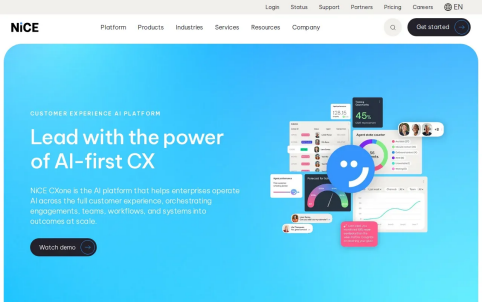
Also available are some “assistant”-style features or modules within which agents can ask questions to receive feedback on their task activities which might prove useful in certain service operations scenarios.
Our platform includes shared data, AI, and governance - which makes us a good fit if you want to handle AI and human agent work using shared quality processes. Before getting started, make sure that our quality metrics align with your organization's rules and needs around audits and reporting.
Pick NICE CXone to evaluate if quality oversight and reporting are important considerations for you.
4. Dialpad AI Contact Center
The Dialpad AI Contact Center is a cloud-based contact center that offers features like real-time transcription and live coaching prompts. This makes it ideal for AI-native mid-market teams. But some enterprise capabilities might pique the interests of larger companies too.
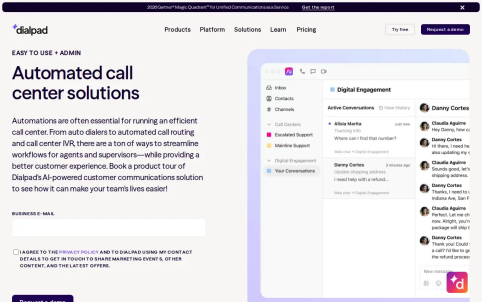
With live transcription enabled, you’ll see what agents are saying to customers. Agents can even get coaching prompts — which give them helpful tips on how to better handle customer questions during calls. For instance, maybe they’d need to field some questions about policies without needing to bring in a manager.
While we couldn’t find specific details about Dialpad’s enterprise offering elsewhere, their general product info states there are things like “sentiment alerts,” intelligent routing, and AI-assisted quality reviews. Scorecards powered by AI would let leaders know if certain criteria have been met, allowing them to more easily spot places where they could use coaching. And overall dashboards can help keep tabs on everything from call volumes to average speeds of answer.
When there’s a need for a person to handle an issue, this capability supports routing and handoffs with all necessary context around it.
The company said to provide integrations with CRMs and other business applications — such as options that allow logging of activities during calls — which we confirmed during our own technical review (and noted some specifics around how things flow).
If you have situations where live agent guidance is at the core of what you’re looking to do and are okay with doing a cloud deployment, Dialpad might be worth exploring.
5. ASAPP
ASAPP says its product, an agentic customer experience platform built for enterprises, is able to provide generative AI agents that automatically handle customer interactions and assist human agents.
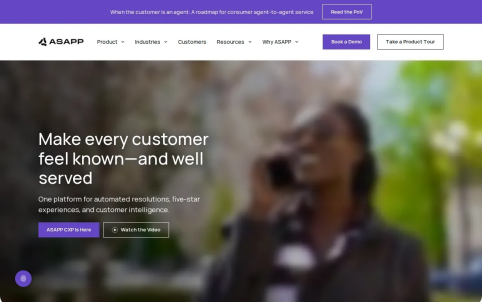
Interactions take place via phone, chat, and apps, which all are handled on ASAPP’s single platform, while the company’s AI platform supports customer interactions, and others allow agents to work with better context.
There was more detail about some of these components, including aspects such as “real-time predictive analytics” and integration with existing customer relationship management (CRM) and communication platforms.
These things become important if you want your AI-driven automation to integrate smoothly with what customers already know how to use.
6. NiCE Cognigy
If you need AI-led conversations using generative and conversational AI agents for your enterprise customer service processes across voice and chat then this product is worth considering as a potential fit for your requirements..
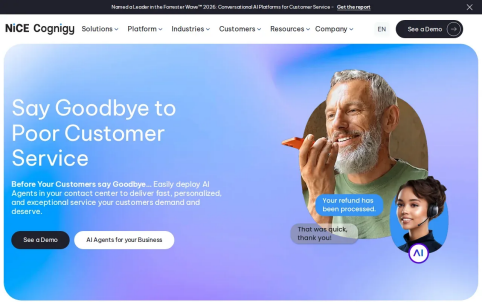
Voice and chat agents may serve different purposes within your service flows. Maybe they’ll answer simple questions from customers early in a conversation before handing things over to someone else (perhaps when more human input is required).
Or maybe your goal is for the agents to perform tasks that require complex reasoning – if that’s the case, make sure to define what the agents will be doing and under what circumstances they should hand off the conversation.
You’ll also want to understand how the team ensures their responses are aligned with approved knowledge. This review will help you assess if there are any gaps between providing a helpful conversation and completing a customer support task.
Test the CX as well – ensuring that whoever takes over from the bot knows what’s going on – whether it’s voice or chat-based. If your contact centre handles both channels ensure you cover them in this review.
If you’re looking for a platform for building conversational AI agents across voice and chat then NiCE Cognigy may be a good fit for you. Be sure to tie down these pilots with specific tasks and handoff rules.
7. XBert by Nextiva
Our recommendation for XBert by Nextiva, the AI receptionist/custserv assistant, would be ideal for teams interested in automating some of their most routine conversations with customers through multiple channels (voice, SMS, etc).
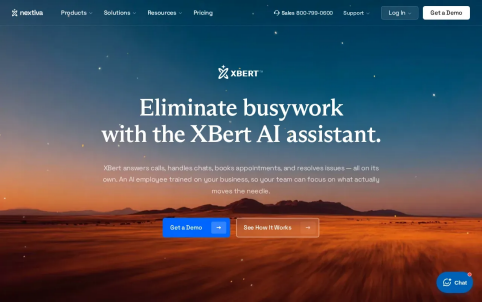
If you’re considering using something like this to free up time for real humans to solve more complex issues, you could probably find the right fit by first thinking about the kinds of conversations where an automatic reply would be helpful versus those that require direct intervention.
If you have access to a variety of channels for customers to reach out via, this makes testing even easier. And if you don’t, consider evaluating how effective the solution becomes if certain interactions need to escalate to a live agent — such as turning into a more involved support issue.
So here’s how to use XBert with your enterprise team:
Set some boundaries around what is considered “routine” handling ahead of rollout. Establish rules about escalation as well as the ability for your support team to assess outcomes. You’ll want to understand the balance between reducing avoidable work versus requiring additional follow-ups by agents.
If this sounds right, go for it. Otherwise, don’t. If there’s even a hint that someone might have to ask XBert questions directly rather than having it be an entirely hands-off solution at first, skip it. But if this seems like it could work out, give them a try.
Overall, I think XBert has good potential but would fall under my ‘maybe’ category unless you’re already very clearly planning to implement their entire AI receptionist concept.
8. Balto
Balto provides another cloud SaaS offering specifically tailored towards mid-market and enterprise contact centers, delivering real-time guidance through conversations, AI generated call summaries, and automated quality-assurance scoring
Real-time guidance means showing your agent relevant prompts during a call. The company outlines knowledge answers as well as objection handling within live conversations which should allow agents to follow a playbook instead of just being reliant on their memory.
Post call, the summaries generated by AI will remove the need for agents writing down all these notes themselves. Balto describes quality scores across interactions too, coupled with targeted coaching based off moments during a conversation. This makes managers able to focus their training efforts where they are most needed.
Before running any sort of trial for Balto, you’d want to track both ACW and handle time together to ensure the reduction of calls doesn’t result in agents needing to spend equal amounts of time inputting notes or fixing up summaries afterwards.
Overall though, it’s a great pick if live-guidance and post-call reviews are top-of-mind features you require. Just consider whether it helps fill holes currently found within your contact-center operations or merely serves to replace parts of current processes.
9. Aircall
For outbound-centric small-to-midsize businesses (SMB), we recommend our product, Aircall.
With its integrated AI tools meant to streamline phone communications via smart call-handling automation features, the product is best utilized when working within tightly-defined scenarios – i.e., when aiming at implementing one single feature set such as transcription & automated summary creation capabilities.l
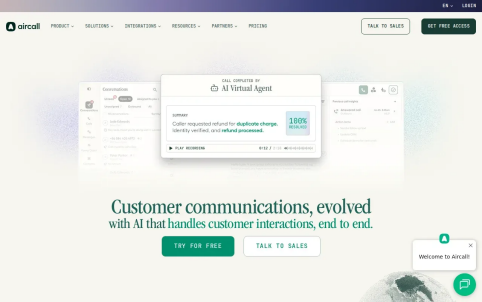
Review their features and evaluate whether they fit into how you conduct call reviews and keep records as well. Since Aircall is limited by its scope as a focused phone system, consider whether you have additional needs that would be better handled by an enterprise solution such as more complex routing over many different teams, automatic quality review, on-premise controls, etc.
They also offer a number of other plans, including both per-user options and custom quotes depending on what your specific needs might be.
As always when comparing potential costs, be sure to break down the cost based on all aspects including number of seats, selected plan, additional add-ons, and contracts, in order to ensure you’re getting what you expect out of your new phone system.
Aircall definitely has merit if you are prioritizing ‘cloud calling’ for your sales team but will probably miss out on more of a buy brief around enterprise governance.
10. Freshdesk Contact Center by Freshworks
With Freshdesk Contact Center Voice over IP (VoIP) service, your team has everything they need to monitor these calls as well as keep track of conversations with customers. The company says. “You’ll get call recordings, transcripts, and live dashboards where you can play back calls to evaluate an agent’s performance and provide them with feedback.”
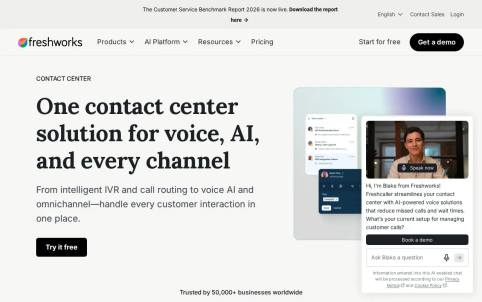
Your agents will be able to take notes that everyone on your team sees prior to making a call,” it continues, noting this could be useful if a caller comes back with an open issue. Also highlighted are connections between calls and workflows in Freshdesk — like turning the call into a ticket — along with more advanced options like intelligent IVR/call routing and using voice bots to handle repetitive queries. These might be features worth considering depending on how your existing phone and support operations run.
When should you consider using Freshdesk Contact Center?
This tool would be a great option if your organization provides voice support and needs to monitor these calls. Try testing how well this software turns a recorded call into a ticket, as well as which kinds of info agents can access during their follow-ups.
Compare the 10 platforms and check enterprise fit
Here's how AI contact center software works (and what it can do for you). We break down customer facing vs behind-the-scenes automation, plus factors to consider when choosing your own solution.
The perfect fit depends on your channels, systemms and data rules.
Use this comparison to narrow the list by primary job.
How to Choose the Right AI Contact Center Software
For an enterprise shortlist, begin with the deployment model. If data must stay within your environment, Thunai’s self-hosted and on-premise options set it apart from the cloud choices in this list.
- If your team already plans to move contact center operations to cloud, compare the breadth of routing, quality, and workforce features you need.
- Next, map each platform to a workflow, not a feature label. Pick one repetitive L1 request, one case that needs L2 or L3 escalation, and one post-call task. Then test what the AI does, what context reaches the human, and what is recorded in the CRM or support system. Thunai’s guide to call center integrations can help your team frame the systems and workflow questions.
- Price models can be per seat, per minute, subscription-based, or a mix. Ask vendors to price the same interaction volume and channel mix. Include setup, usage, add-ons, training, and ongoing administration in total cost of ownership.
- For a basic ROI case, compare current interaction volume, average handle time, after-call work, and cost per contact with the expected workflow after automation. Don’t count a deflected query as a saving unless the customer’s issue is resolved and the team avoids repeat contact. Track quality and customer satisfaction alongside labor measures.
- Test integration fit with your CRM and other systems before expanding a pilot. Also review knowledge quality, access controls, escalation paths, and how your team will catch inaccurate or biased responses. Models can change, and poor source data can lead to poor answers. A small review loop helps you find errors before they spread across a large queue.
For enterprises that need governed automation with self-hosted or on-premise deployment, start with Thunai.
Request a free demo and test one L1 workflow plus its escalation path before setting a wider rollout plan.
Frequently asked questions
What does AI contact center software do?
AI contact center software helps automate customer interactions and support human agents. Depending on the product, it may handle routine voice or chat requests, route customers, transcribe calls, guide agents, or review interaction quality. For an enterprise, the key test is whether it connects to your service workflow and hands complex cases to the right person with useful context.
How do I choose AI contact center software for an enterprise?
Start with your deployment and governance requirements, then test the workflows you want AI to handle. Check how the system routes an escalation, uses approved knowledge, connects to your CRM, and supports quality review. Compare costs using the same interaction volume and include implementation and ongoing administration, not only seat or usage fees.
Can AI contact center software keep customer data on-premise?
Some platforms provide on-premise or self-hosted deployment, while others are cloud-based or cloud SaaS. Thunai offers self-hosted and on-premise options. Confirm with each vendor how its deployment handles your data, access rules, and regional requirements, then review those details with your security and infrastructure teams.
How should I measure AI contact center ROI?
Measure interaction volume, average handle time, after-call work, and cost per contact before and after the change. Also track repeat contacts, quality scores, and customer satisfaction. A lower handle time alone does not prove a better result if customers need to contact you again or agents spend more time fixing incomplete notes.
How can AI agents hand complex cases to human agents?
Set clear escalation rules for cases that need judgment, sensitive handling, or specialist knowledge. Test whether the AI passes the conversation history and the reason for escalation to the next agent. The customer should not need to repeat the full issue, and the human team should have a clear way to take ownership.