Automated systems are meant to speed things up. But a bad handoff to a human agent lowers customer satisfaction.
A poor transition can even make customers feel ignored.
The reality is that growing your support team gets expensive. But letting your AI frustrate users? That can cost a lot more.
This is why a smooth AI-to-human agent handoff is fundamental to modern L2 and L3 support. Here is how to do this well.
What Is an AI-to-Human Agent Handoff?
An AI-to-human agent handoff is the point in a customer support interaction where an automated system transfers the conversation to a person or human support agent.
Poorly managed human agent handoffs break a customer's trust in your company. Studies show that around 60% of consumers would switch to a competitor after just one bad customer service experience.
Zendesk CX Trends 2026 data backs this up: the real median tier-1 deflection rate sits at just 41.2%, far below the 80%+ figures vendors often claim. Complex, unstructured intents rarely deflect above 30%.
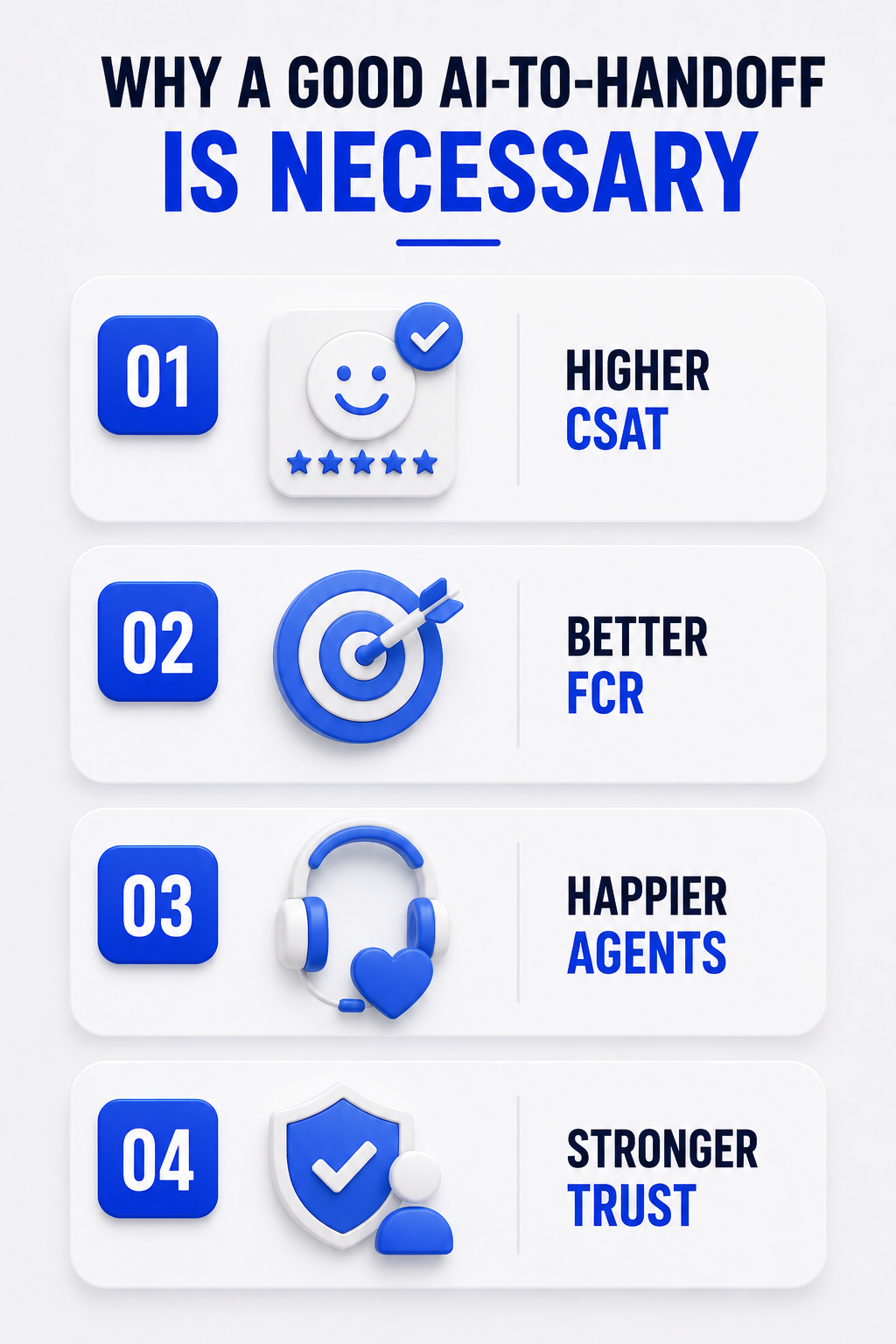
Here is why a good AI-to-handoff is necessary:
- Maintains high Customer Satisfaction (CSAT). A smooth human agent handoffs makes customers feel their time is respected. This shows you have a competent and connected support system.
- Improves First Contact Resolution (FCR). An agent who gets the full context of an issue can skip repetitive questions. They can begin solving the problem right away. This raises the chance of fixing the issue on the first try.
- Helps agent performance and morale. Agents are less stressed and more effective when they do not start every chat from zero. Good human agent handoffs allow them to do their job well, which is solving difficult problems.
- Builds brand trust. A good support experience shows you are a well-run company. Your customers see that you are technically capable and care about their needs.
How Does an AI-to-Human Handoff Work?
Behind a smooth human agent handoffs sits a precise sequence of triggers, data payloads, and routing logic. Most enterprise platforms follow the same path from the moment an AI decides to escalate to the moment a human agent takes over.
A central routing layer, often called a switchboard or agent broker, manages which system owns the conversation at any given moment.
When the AI fires a control-passing command, ownership transfers instantly. Built-in logic stops the same handoff from firing twice by accident.
Here is what happens at each stage of the process in human agent handoffs:
3. When Should an AI Agent Hand Off to a Human?
Knowing when to hand off a conversation to a person is very important. An AI that continues a conversation for too long creates frustration. An AI that passes the task too quickly does not do its job.
The solution for human agent handoffs is to set up clear, smart triggers based on intent, sentiment, confidence, and even regulation, not just a single button that says talk to a human.
What Information Should Be Passed During Human Agent Handoffs?
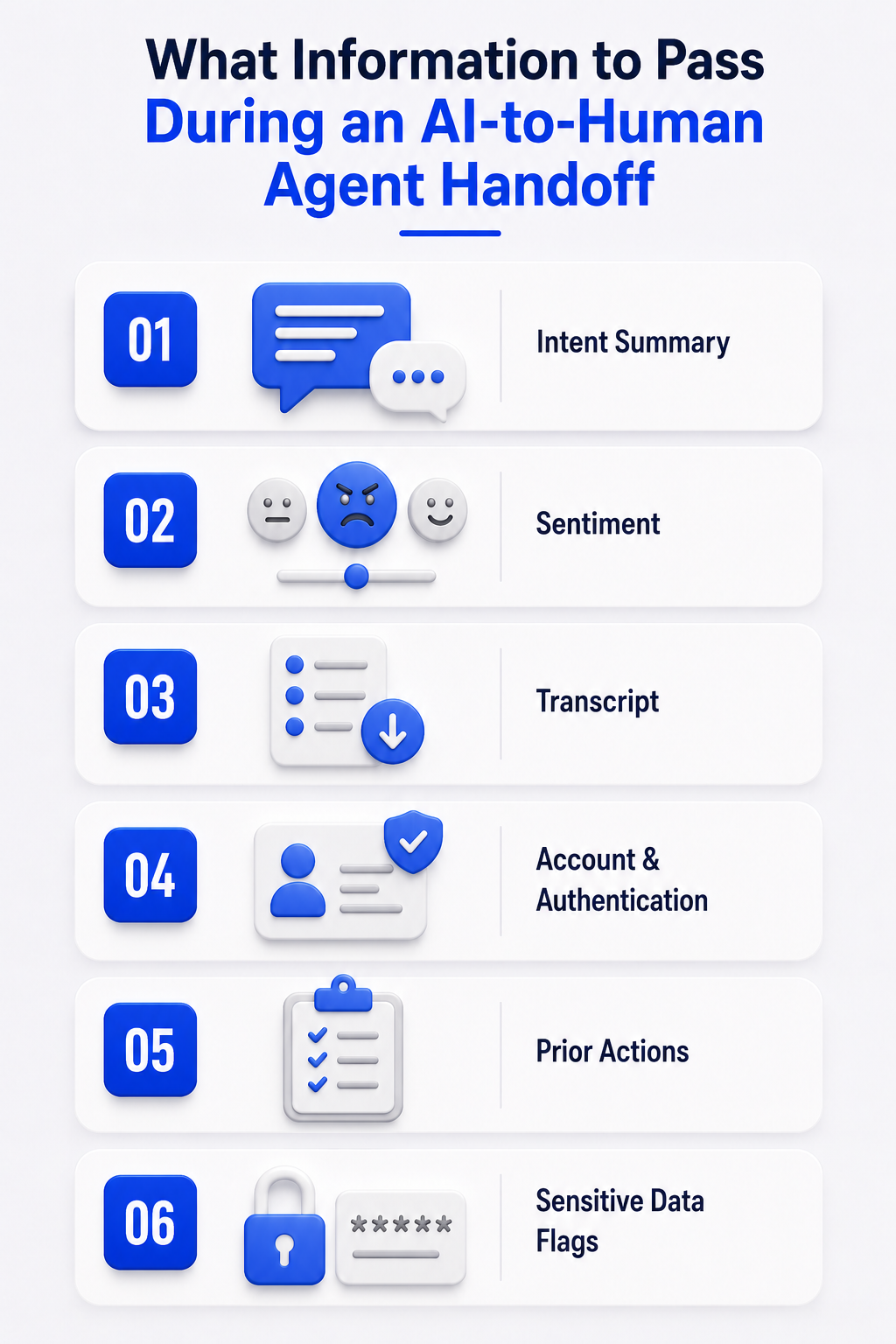
The best approach to this is a compact summary plus a short list of supporting metadata.
Research on agent burnout confirms that high rates of application toggling and constant attention-shifting are primary drivers of fatigue and turnover in contact centers.
Providing unified context directly within the agent's primary interface cuts down on tab-switching and protects agent performance over time.
- Condensed Intent Summary: A one-to-two sentence AI-generated synthesis of the core issue and requested resolution lets the agent grasp the problem instantly instead of reading the full chat.
- Real-Time Sentiment Score: A simple label like neutral, agitated, or frustrated stops the agent from walking into a hostile conversation unprepared.
- Full Conversation Transcript: The complete, unedited log serves as a backup for detail verification and compliance audits, not as primary reading material.
- Account & Authentication Data: Verified account ID and authentication status skip repeat identity checks so the agent can act immediately.
- Prior System Actions: A log of API calls or backend actions the AI already attempted stops the agent from repeating steps the customer already went through.
- Sensitive Data Flags: Redacted fields for payment or health information keep the handoff compliant with PCI DSS and HIPAA before data reaches the agent.
How to Design an Effective Human Agent Handoff Workflow
Designing a human agent handoff workflow means moving past simple if-then decision trees. The best implementations weave the AI layer directly into the ticketing and CRM systems instead of relying on brittle custom code.
A well-built escalation sequence generally follows this order:
- Availability Check: Before committing to a handoff, the system checks business hours and live agent capacity. If nobody is available, the workflow shifts to a fallback and creates an asynchronous ticket instead of leaving the customer stranded.
- Conditional Routing: Once agents are confirmed available, the workflow decides the specific escalation path based on the intent already captured.
- Payload Assembly: An actions block appends the right tags and custom fields so the context payload is fully built before the ticket lands anywhere.
- Transparent Notification: The system tells the customer a transfer is happening and confirms their history is coming with them, rather than leaving them guessing.
In more advanced deployments, this orchestration runs on protocol layers like the Model Context Protocol (MCP) and Agent2Agent (A2A) networking.
These standardize how the AI fetches CRM records, executes tool calls, and formats data before the handoff. This keeps the whole process observable and auditable for later quality reviews.
How to Route AI Escalations to the Right Human Agent
Getting the timing right does not matter much if the ticket then lands with the wrong person.
Modern contact centers have moved away from generic first-in-first-out queues toward routing that reads several signals at once.
AI-to-Human Handoffs in Chat vs. Voice Support
The mechanics of a human agent handoff changes a lot depending on the channel. What works instantly inside a chat window takes a different technical path over a live phone call.
How to Measure Human Agent Handoff Performance
You cannot improve what you do not measure. Relying only on how many chats an AI deflects is an outdated way to judge performance.
That number says nothing about whether the customer's problem actually got solved.
Companies that get the AI-to-human handoff right can see a 15-20% improvement in First Contact Resolution. Watch these metrics to check your own process.
These numbers play out in real deployments. Liberty London deployed AI with intelligent ticket routing and context-rich handoffs, cutting first response time by 73%, reducing resolution time by 11%, and pushing overall CSAT to 90%.
Lush took a similar path, using a custom AI agent to handle repetitive inquiries and cleanly escalate complex issues with context tags attached. The result was a 60% FCR on common requests, a 93% CSAT score, and a 369% ROI in under a year.
Human Agent Handoff Best Practices
Pulling the architecture, timing, and metrics together comes down to a short list of non-negotiables:
- Pass a summary, sentiment score, and metadata. Never use the raw transcript as the primary view.
- Keep the option to talk to a person visible at all times.
- Tell the customer a transfer is happening and why.
- Give an honest wait-time estimate.
- Unify context across chat, voice, and every other channel.
- Redact sensitive data automatically before the information reaches the agent.
- Keep a human review path open wherever regulation requires one.
- Let agents flag bad AI summaries and feed corrections back into training.
How Thunai Handles AI-to-Human Agent Handoffs
The idea of a perfect human agent handoff is simple. Making one work is not. Thunai is designed to make this process simple and dependable.
We connect the speed of AI with human understanding. We treat the human agent handoff as a core part of the automated conversation.
With Thunai, the context is never lost. The customer's journey continues without interruption.
Here is how Thunai manages a flawless handoff:
- Step 1: Full Contextual Capture: When the human agent handoff starts, Thunai gathers all the needed information. This includes the chat history, user identity, and any related CRM data. A summary of the problem is also created. All of this is sent to the human agent instantly.
- Step 2: Intelligent Skills-Based Routing: Thunai does not just send the ticket to the next free agent. The system studies the question and sends the ticket to the right department, like billing or technical support.
- Step 3: Proactive Customer Communication: While the handoff is happening, Thunai keeps the customer updated with information you choose to surface, like: this will take just 2 minutes.
- Step 4: Unified Agent Workspace: The human agent gets the handoff summary in their support software. They can see the full conversation. They also get real-time tips from the Thunai Brain knowledge base. This helps them fix the issue even faster.
Ready to see how a smooth support journey can improve your CSAT scores?
Try Thunai for free and see what a perfect handoff can do.
FAQs About Human Agent Handoffs
Does a high handoff rate mean my AI is failing?
Not always. The goal of a support AI is not to handle 100% of chats. The goal is 100% customer resolution and satisfaction. Well-timed human agent handoffs are a success, not a failure. A high rate shows your system is smart enough to know where the limits are and pass the task correctly. Judge your AI on the ability to answer simple questions and smoothly hand off difficult ones.
How can I prepare my human agents for AI handoffs?
Training is very important. Your agents need to understand the new process and trust the system. Show them where to find the AI-generated conversation summary. Teach them to read the context quickly. This will stop them from asking questions the customer has already answered. Position the AI as a helper that handles the first steps of the conversation.
What is the biggest mistake companies make with handoffs?
The most common mistake is making the customer repeat their problem. This immediately wastes the time the customer has already spent. This sends a message that your systems are not connected and that you do not value their time. The one thing you must get right is saving and transferring the context of the conversation during human agent handoffs.