
Are your staff members wasting their time writing notes instead of helping your customers? The conventional ways of creating notes for meetings and sales were never meant to be used on such an extensive scale.
The solution lies in using AI technology capable of analyzing every interaction, monitoring sentiment and compliance, and summarizing and updating the CRM system automatically.
In this article, we discuss how AI call summary software can automate the wrap-up process, enhance the visibility of every interaction, and make your contact center more efficient.
What Is an AI Call Summary?
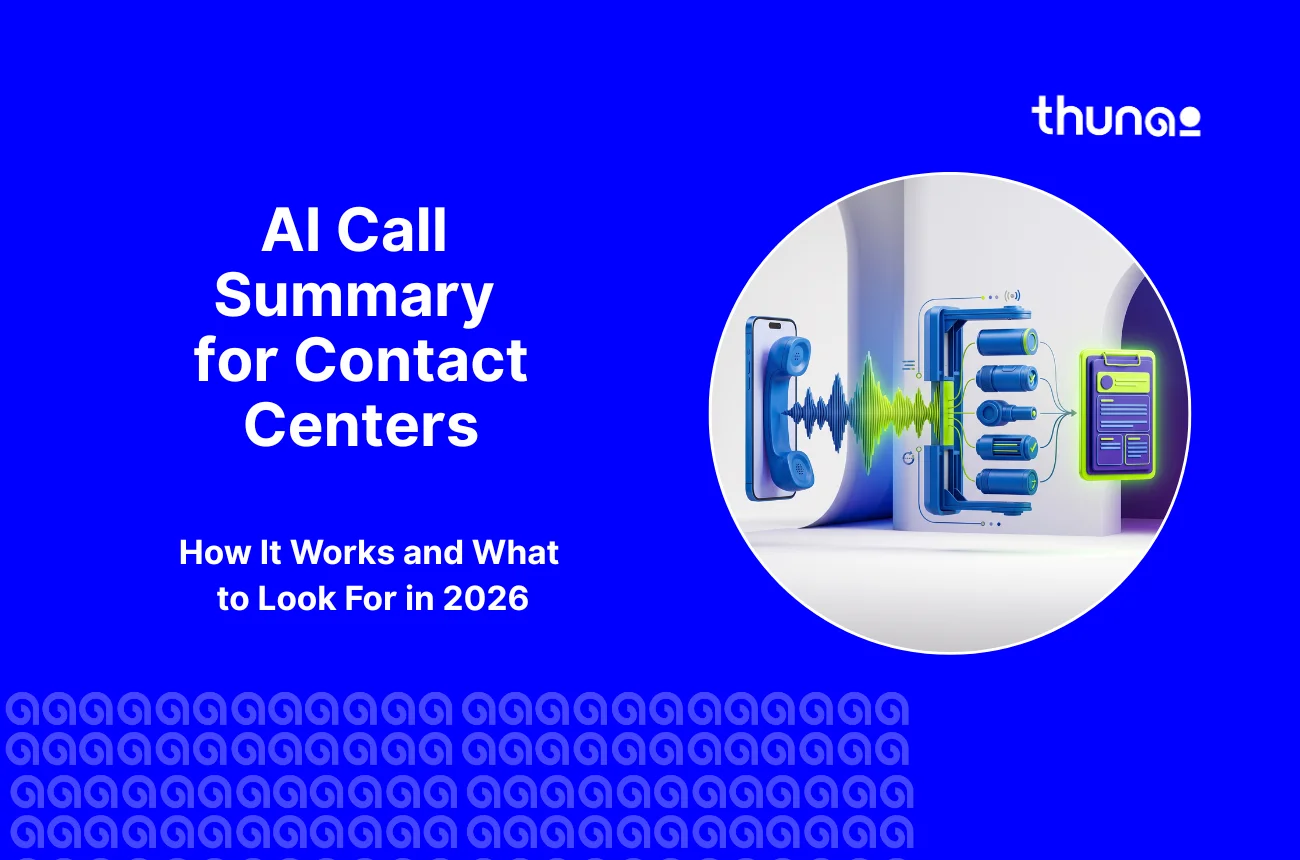
In AI call summarization, the technology of artificial intelligence technology is used to summarize the conversation between the customer and the agent into a concise summary.
As opposed to transcripts that convert the audio file of the conversation into written words for documentation purposes, the AI call summary captures the essence of the conversation.
This is done by analyzing the reason for the call, what actions were taken, what needs to be done after the call, and any changes in customer sentiment during the course of the conversation.
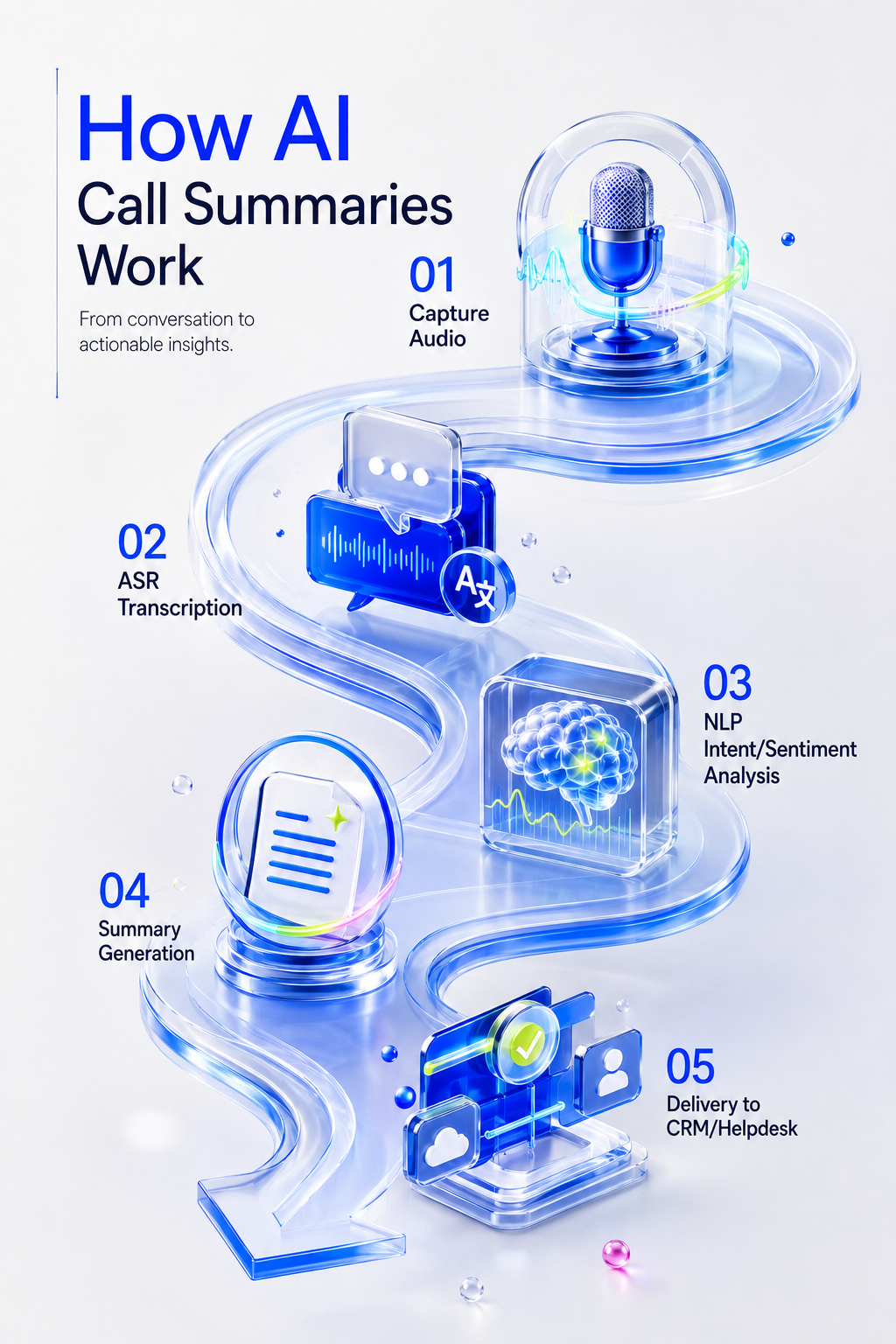
How AI Call Summaries Work
This software must have a high level of speed performance, which is very important for call centers where calls come constantly.
Capture audio
Capture audio means capturing the audio of the call, connecting the call center software to the system via a cloud telephony service, SIP, or a call center service cloud.
Current technology allows for processing the audio instantly with the help of such technologies as Kafka and Flink.
That gives a chance to give recommendations to the agent on the go. Every single call goes through this step.
ASR transcription
The audio goes to a speech-to-text engine. This turns speech into written text.
Some tools use well-known engines like AssemblyAI or Deepgram, or special engines built for certain languages or accents.
The system must also tell speakers apart; this is called diarization. It separates the agent's voice from the customer's voice.
In places where people mix two languages in one sentence, the system has to catch that switch and still get the text right.
NLP intent/sentiment analysis
Once the call is converted to text with speakers marked, NLP intent/sentiment analysis examines the conversation using rules and patterns.
Also identifies the customer’s intent, analyzes customer sentiment, and tracks how emotions change during the call, such as from frustrated to satisfied.
Ensures that the agent is compliant, for example, that they have read required legal notices and/or made prohibited statements.
Unlike using human judgment to gauge the tone of an agent, AI will use actual conversation data to measure the tone, mood, intention, and compliance.
Summary generation
This is where a post-call summary software layer does its heaviest lifting. The system then sends the information to a Large Language Model (LLM) to create the call summary.
Smaller AI models handle simple calls, while advanced models handle complex or technical conversations. The AI follows a set format to create clear, structured notes.
Delivery to CRM/helpdesk
AI notes are useless if they're stuck in a separate app nobody checks. The system needs to send the summary straight into the company's main software.
This kind of call summary CRM integration uses direct connections; the AI can fill in fields in tools like Salesforce, Zendesk, or Microsoft Dynamics the second the call ends.
Some advanced systems let different AI tools work together, like one AI handles the call summary, then hands it off to another AI that updates billing records.
The agent just checks the notes on screen, hits submit, and the AI sends the summary straight to the system.
Why contact centers need AI call summary specifically
Call centers face problems that don't show up in regular offices. High call volumes, strict targets, and tough rules shape everything they do. AI call summaries solve three big problems.
Cutting Down After Call Work (ACW)
ACW is the time an agent spends finishing tasks after the customer hangs up, typing notes, booking follow-ups, and updating records.
Without limits, ACW gets out of hand fast. Agents end up spending more time on paperwork than actually interacting with customers.
Since staff pay is the highest cost for any call center, using agents' time well really matters. On average, a call takes 6 to 8 minutes total, using this formula:
100% interaction coverage vs 1–2% manual QA sampling
When ACW is high, agents have less time for new calls. This means the center has to hire more agents to handle the same number of calls, which costs more money.
High ACW also makes customers wait longer, since agents are stuck doing paperwork instead of answering the phone, and makes customers frustrated.
This is exactly what after-call work automation delivers: by writing the summary and sending it to the system automatically, the AI removes the need for agents to type notes by hand.
AI call summaries fix this directly; agents just check the AI's work and approve it. This can cut time by 30% to 60%. Agents get back to answering calls faster.
As per Gartner’s research, by 2026, conversational AI in contact centers will cut agent labor costs by $80 billion globally, largely by automating after-call work like summarization.
Here's how key numbers can shift with AI automation:
Centers using AI assistants report much lower handle times than centers without them. This changes how the whole support floor runs, cost-wise.
McKinsey found that generative AI increased issue resolution by 14% per hour and reduced the time spent handling an issue by 9% at one customer-service organization.
Smoother Handoffs With Clear Notes
Sometimes, customers shift between chatbot, agent, and specialist to address the same issue. In the process, some vital information may be left out, prompting the customers to repeat themselves.
AI call summaries create a clear, shared history of each interaction. The standardized note would assist the new agent in knowing why the customer called, what has been done, and how the customer feels at the moment.
Deloitte found that contact centers that are focused on artificial intelligence are 85% more profitable compared to those with low maturity.
This helps improve FCR, and as a result, customers do not have to call back for further assistance.
AI Call Summary Tools vs. Sales and Meeting Note Tools
There are many AI note-taking tools out there. Apps like Otter and Fireflies are popular for summarizing office meetings on Zoom or Google Meet.
Sales tools like Gong summarize calls for sales teams and use similar AI technology. But using a sales or meeting tool in a call center is a real mistake.
Call centers need tools built to handle sensitive data and strict rules, something general tools don't offer.
Following the Rules and Keeping Records
Sensitive information such as credit card numbers, IDs, banking information, and medical history is processed in call centers.
AI call systems must follow privacy and security standards like PCI DSS, GLBA, HIPAA, and India’s DPDPA.
For instance, according to PCI DSS, all sensitive card information must be protected, including concealing the full number and not storing the card's security code on the card.
AI redaction technology automatically identifies sensitive information when converting speech to text and excludes it from the content before processing it by the AI algorithm and storing.
Handling Scale
Meeting note tools are designed for a small number of long meetings, while call centers handle thousands of short calls every day.
Call center AI must process large volumes simultaneously, without manual management, and quickly handle different topics, from billing issues to technical support.
AI sales tools can be customized to perform certain functions, such as mentioning competitors and discussing the budget.
They can find it difficult to handle customer service cases, compliance check-ups, and assessing the empathy level of agents.
Covering Every Channel
Sales and meeting tools only handle voice or video calls. Call centers deal with much more, like voice, chat, text messages, and email.
A proper call center AI tool applies the same call scoring and summarizing rules across every channel.
Since chat and email are already text, the system can score them directly, keeping the same quality standard everywhere.
Voice calls join this same process once they're turned into text. A sales tool can't handle a fifty-message chat conversation well.
Key features to look for
When picking an AI call summary in an automatic call summary tool for a call center, don't just look at basic AI features. Check for these must-haves.
Accurate Transcripts and Clear Speaker Tracking
For a good summary to be achieved, it starts with an accurate transcription. If there are errors in the transcription process using the speech-to-text engine, then the summary generated by the AI will also contain errors.
For the tools to be effective, they must have more than 95% accuracy, as well as speaker identification capabilities.
In case the system mixes up who said what, it might blame the agent for the customer's anger.
Mood Tracking and Warning Flags
Improved software captures your emotional state to determine how the customer’s emotional state changes during the call, including when the customer became upset, when he was calm again, and his level of satisfaction at the end of the call.
This allows for a more comprehensive overview of the customer’s journey without being limited to short questionnaires that not many customers are willing to answer.
The tool should also flag calls that need urgent attention, like a customer threatening legal action or one who sounds ready to cancel, and alert a manager right away.
Automatic Updates to Your Systems
To really save time, the AI must connect directly to your existing tools like Salesforce, Zendesk, HubSpot, or Microsoft Dynamics.
Strong call center integrations will decide how much manual work actually disappears, since a summary that lands in the wrong field defeats the purpose of automation in the first place.
Deloitte found that 72% of contact center leaders identify integration of technology, systems, and tools as a major challenge, making seamless CRM and platform integration critical for AI deployment
True automation means the summary lands where it needs to be automatically: a genuine call summary CRM integration rather than a bolt-on export button.
AI call summarization automatically captures key conversation details, intent, and action items the moment an interaction ends.
Support for Multiple Languages
Global call centers need tools that work in many languages. They also need to handle it when customers mix two languages in one sentence.
The tool must switch smoothly without breaking the transcript.
Best AI call summary solutions compared (2026)
The market has several types of tools. Which one fits best depends on your main goal, whether sales insights, basic note logging, or full call center automation.
Tools like CloudTalk and Aloware work well for sales teams focused on speed and basic logging. Gong leads for B2B sales tracking and forecasting.
How Thunai's AI Call Summary Works
Thunai is built specifically for call centers and designed to handle the scale, complexity, and strict rules that enterprise support teams deal with.
Thunai doesn't just record a call; it understands it using live data as the call happens and works across the whole call center floor, plus Zoom, Google Meet, and Microsoft Teams.
The Four-Step Process
Thunai runs quietly in the background across voice, chat, and video at the same time. It follows four steps to help the agent and remove wrap-up work.
Step 1: Listens and Writes it Down. It turns speech into text across every channel at once, with very little delay.
Step 2: Understands the Reason for the Call. As the call happens, Thunai figures out why the customer called and matches it to the real problem.
Step 3: Helps the Agent in Real Time. Acting as a real-time agent assist tool, Thunai goes beyond passive transcription by serving as an on-screen helper that actively guides conversations with useful information and reminders.
Step 4: Wraps Up the Work. The moment the call ends, Thunai switches to writing the summary and turns the conversation into a clear, short brief in seconds.
Thunai fills in the needed fields in the CRM right away. The summary includes why the customer called, how it was solved, next steps, and how the customer felt. The agent just clicks submit, and no manual notes are needed.
Want to see it working on your own calls? Book a demo today.
FAQs
How accurate are AI call summaries?
Top tools reach 95%+ accuracy in transcripts, with strong speaker tracking. This level of accuracy is needed for a summary to be trusted as the official record and used for automatic quality scoring.
Can AI summaries update my CRM automatically?
Yes. Strong tools like Thunai fill in CRM and support records with summaries, mood tracking, and next steps right after a call ends. This removes the need for manual notes completely.
Is AI call summary only for phone calls?
No. Modern tools also handle chat, text messages, and email. This keeps quality standards and CRM data consistent no matter how the customer reaches out.
Is this safe to use in industries like healthcare or finance?
Yes, as long as the tool is built for strict rules. Good tools scrub sensitive info like credit card and ID numbers from both audio and text before it's processed or stored.
Does this replace human agents or quality staff?
No. It removes repeated paperwork and manual checklist work. This frees up agents to focus on empathy and solving harder problems. It also lets quality staff spend less time hunting for basic errors and more time coaching agents using real data.