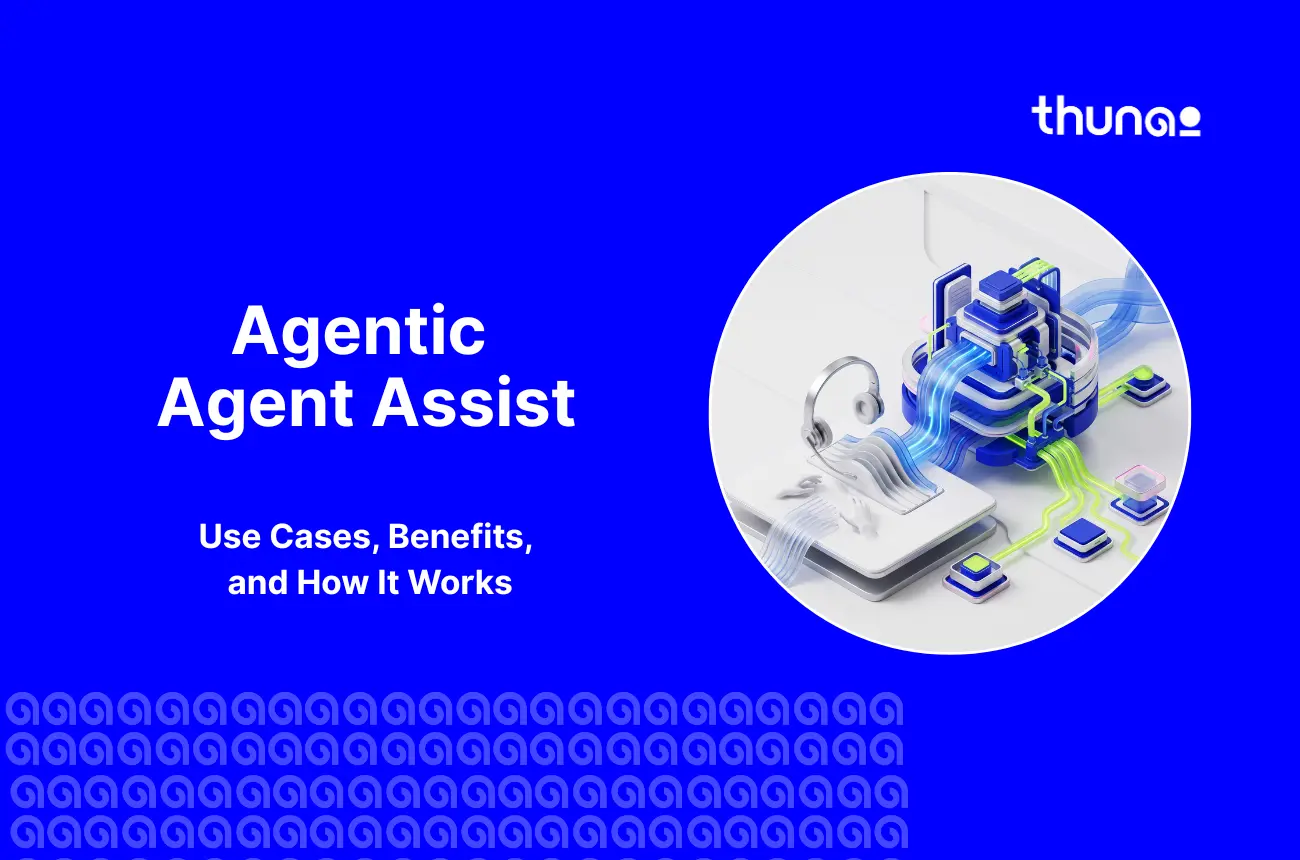

Many businesses try to fix slow customer service by just adding more AI tools - but that’s not really the proper solution.
Customers still wait longer, complaints rise, and costs keep climbing even after adding these new tools.
The real issue is that basic AI does not think or act with the agent in real time.
That is where Agentic Agent Assist steps in. It works alongside agents live, on every call, to solve the root problem.
What is Agentic Agent Assist?
Agentic Agent Assist is an AI copilot for contact center agents that actively helps during live conversations.
Older systems rely on keywords and fixed scripts. This new tool understands the context of a chat and adapts its advice in real time.
You can learn more about this shift in what agentic AI actually is.
This makes it one of the most advanced forms of agentic AI agent assist available today.
Generative AI mostly makes content when prompted. Agentic AI takes action on its own.
We explore this difference further in agentic AI vs generative AI.
For example, instead of just drafting a response when asked, it notices a refund threshold breach and proactively surfaces the compliance script.
Gartner predicts that by 2029, agentic AI will autonomously resolve 80% of common customer service issues, driving a 30% cut in operational costs.
How Agentic Agent Assist Works
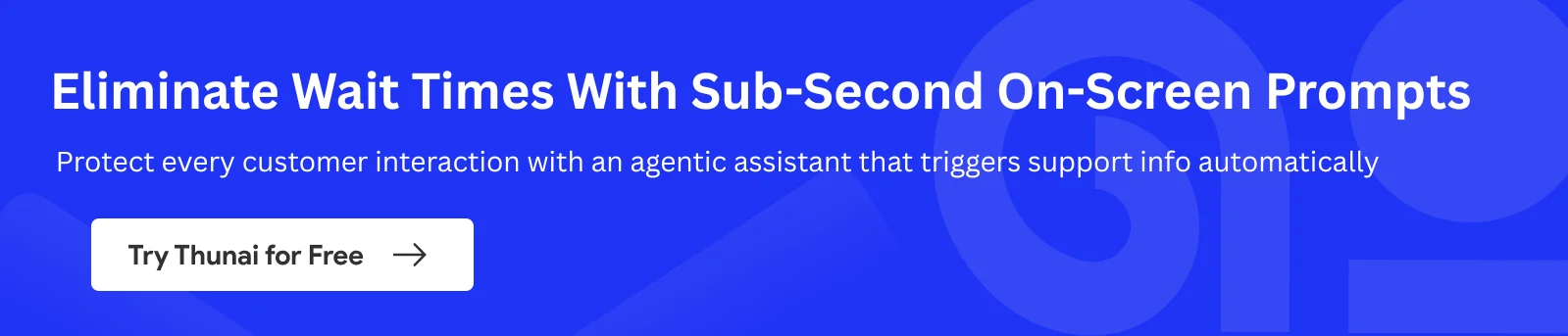
Agentic Agent Assist is a smart background tool and acts as live agent guidance software to help reps during calls and chats. You can read more about this in our guide on real-time AI agent assist.
AI assist listens in real time, understands the chat, and gives instant tips on what to say next.
How it helps:
- Live Guidance: Suggests the right fixes, caring words, or custom offers.
- Rule Checking: Reminds agents to read required legal and compliance statements.
- Supervisor Alerts: Automatically flags angry customers so a human manager can step in.
- Contextual Knowledge Retrieval: Pulls the right KB article/policy doc mid-conversation without agent search.
- Dynamic Scripting: Adjusts recommended talk tracks based on customer tier, sentiment, or history, rather than one static script
Top Use Cases Across the Call Lifecycle
The best AI tools fit smoothly into daily customer service. Companies win by seeing how these tools work from start to finish on a call.
Here are the most practical real-time agent assist use cases in the industry today.
Pre-Call: Instant Qualification and Handoff Context
Instant Qualification
- Customer Intent Detection: Identifies why the customer is calling before connecting them to an agent.
- Customer Data Collection: Collects relevant account details, history, and basic information automatically.
- Lead & Need Qualification: Determines customer needs, urgency, eligibility, or potential value before handoff.
Handoff Context
- Customer History: Shares past interactions, account details, and previous issues with the agent.
- Conversation Summary: Provides a quick summary of the customer’s intent, needs, and actions already taken.
- Next-Best Action: Suggests what the agent should do next based on the customer’s history and current request.
For example, when a customer calls back about an unresolved complaint from a previous conversation.
Instead of repeating the entire story, the agent receives the previous interaction, issue details, and actions already taken before the call is connected.
Mid-Call: Live Translation, Mood Detection, and Next-Best-Action
Live Translation
- Real-Time Language Translation: Translates customer and agent speech instantly during the conversation.
- Multilingual Support: Helps agents handle customers in different languages without needing bilingual staff.
- Context-Aware Translation: Preserves the meaning and intent of the conversation, not just word-for-word translation.
Mood Detection
- Sentiment Tracking: Detects changes in customer tone, sentiment, and frustration during the call.
- Escalation Alerts: Flags negative interactions and alerts supervisors when human intervention is needed.
- Agent Guidance: Gives agents cues to adjust their tone or approach based on customer sentiment.
Next-Best Action
- Real-Time Recommendations: Suggests the most relevant response, solution, or action based on the conversation.
- CRM-Powered Suggestions: Uses customer history, profile, and CRM data to personalize recommendations.
- Upsell & Cross-Sell: Identifies relevant products or services to offer based on the customer's needs and history.
For example, when a Spanish-speaking customer calls about an unexpected charge, and AI translates the conversation in real time so the agent can respond naturally.
As the customer becomes frustrated, AI detects the change in sentiment, alerts the agent, and suggests the right response based on the customer’s CRM history.
Post-Call: Automated Summaries and CRM Updates
Automated Summaries
- Instant Call Summary: Captures key points, customer intent, decisions, and outcomes automatically.
- Action & Follow-Up Capture: Identifies commitments and creates tasks such as callbacks, tickets, or follow-ups.
- Compliance-Ready Notes: Checks the conversation against required scripts and compliance criteria while generating the summary.
CRM Updates
- Automatic Record Updates: Writes call details, outcomes, and customer information directly into the CRM.
- Task & Ticket Creation: Creates follow-up tasks, support tickets, and callbacks without manual entry.
- Complete Interaction History: Keeps customer records updated with every relevant conversation and action.
After the call, AI summarizes the customer’s reason for cancellation, the agent’s actions, and the final outcome.
AI automatically updates the CRM, creates any required follow-up task, and attaches a quality or compliance score so the agent doesn’t have to enter everything manually.
Coaching: Finding Performance Patterns from Complete Calls
Performance Pattern Detection
- 100% Call Analysis: Reviews every conversation against quality, compliance, and performance criteria.
- Performance Trends: Identifies recurring strengths, gaps, and behavior patterns across individual agents.
- Personalized Coaching: Creates targeted coaching recommendations and improvement plans for each agent based on actual call data.
After analyzing the agent’s calls, AI notices that they frequently struggle when customers raise pricing objections.
AI highlights the pattern, compares it with high-performing agents, and creates targeted coaching recommendations to help the agent improve.
Business Impact and ROI
Investing in AI agent assist for contact centers drives strong business results. By handling background tasks, it shortens call times, fixes problems faster, and lowers agent burnout.
Gartner report says that by 2028, over 50% of customer service organizations will double their technology spend without an equivalent reduction in talent.
Key Benefits:
- AI handles basic rule checks. This lets managers oversee larger teams.
- Real-time tips help agents give better service and close more sales.
- New hires get step-by-step guidance on their screens. They take live calls sooner with less classroom time.
- Reduced average handle time (AHT) as its own bullet with a stat.
- Compliance risk reduction / fewer QA violations.
- Customer satisfaction (CSAT/NPS) lift.
Agentic Agent Assist vs. Fully Autonomous AI Agents
People often confuse AI tools that help human agents with AI that works entirely alone. Both use similar tech but serve very different purposes.
This difference is at the heart of the agentic AI vs generative AI contact center debate.
Fully independent AI talks directly to the customer and solves problems with no human help.
Meanwhile, AI assist keeps the human in charge to provide empathy. The software quietly handles background tasks and finds information.
Choosing the right AI depends on the task. Autonomous AI is perfect for simple, predictable jobs.
For complex or emotional issues, AI assist blends human empathy with the speed of advanced tech.
Gartner found that 85% of customer service leaders are expanding human agent responsibilities as AI reduces contact volume, with only 31% pursuing frontline layoffs through Q1.
How to Implement Agentic Agent Assist
Setting up AI for customer service takes a smart plan.
McKinsey’s report says that 88% of organizations now regularly use AI in at least one business function, up from 78% the year before.
- Start Small: Test the AI safely. Use it for after-call tasks like summaries first. Once it works well, turn on live-call help.
- Build Trust: Employees must see the AI as a helpful assistant, not a spy. Show them how it removes boring paperwork.
- Keep it Simple: Use gentle on-screen hints instead of stressful alerts. Let your team give feedback to improve the system. This ensures everyone trusts and uses the new tech.
How Thunai Delivers Agentic Agent Assist
When you upgrade your contact center, pick a platform that manages the whole call lifecycle. Thunai provides a complete system for every stage:
- Before the call: Gather all customer data and history onto one clear screen.
- During the call: Listens closely, suggests helpful tips, and tracks customer emotions. If a caller gets angry, it alerts a human manager right away.
- After the call: Automatically writes summaries and updates your records. This kills boring after-call paperwork.
By linking these three phases, Thunai turns slow call centers into smart operations. Agents can focus just on helping customers.
Give your team real-time help on every call and get full visibility into your results. Book a demo with Thunai to see how agentic agent assist fits your business.
FAQs on Agentic Agent Assist
What is the difference between agentic agent assist and traditional agent assist?
Traditional agent assist links keywords to basic scripts. Agentic agent assist understands the ongoing chat. It changes its advice based on the context instead of sticking to a rigid script.
What are the main use cases for agentic agent assist?
Key uses include checking customer details before a call, offering live tips and mood tracking during a call, and writing summaries and CRM updates after a call.
Does agentic agent assist replace human agents?
No. It is built to support human agents. It provides real-time information and cuts down on paperwork so humans can focus on the customer.
How long does implementation take?
Most contact centers can go live within a few weeks. Setup covers CRM and telephony integration, followed by a short pilot with a small group of agents before full rollout.
Does it work with our existing CRM/telephony stack?
Yes. It's built to plug into the tools you already use, not replace them typically integrating with major CRM platforms and telephony systems via API.
How is agent data privacy handled?
Conversations are encrypted, access is role-based, and retention is configurable. Flags are limited to compliance and sentiment triggers, not constant monitoring. Confirm relevant certifications (SOC 2, GDPR, HIPAA) for your industry.


.png)