What happens when your team receives hundreds of customer emails but still spends hours sorting, assigning, and answering them?
The wrong email management software can create more work instead of reducing it.
Shared inboxes, help desks, contact center platforms, and AI email agents solve different problems.
This guide compares the four types, their features, and leading tools to help CEOs and support leaders choose the right solution for their team's email volume and business needs.
What is customer email management software?
Customer email management software helps a team receive, sort, assign, answer, and report on customer email.
It is not a personal email client, which helps one person clear one inbox. It is not an email marketing platform, which sends campaigns out. It handles the mail your customers send in.
The four types of email management software
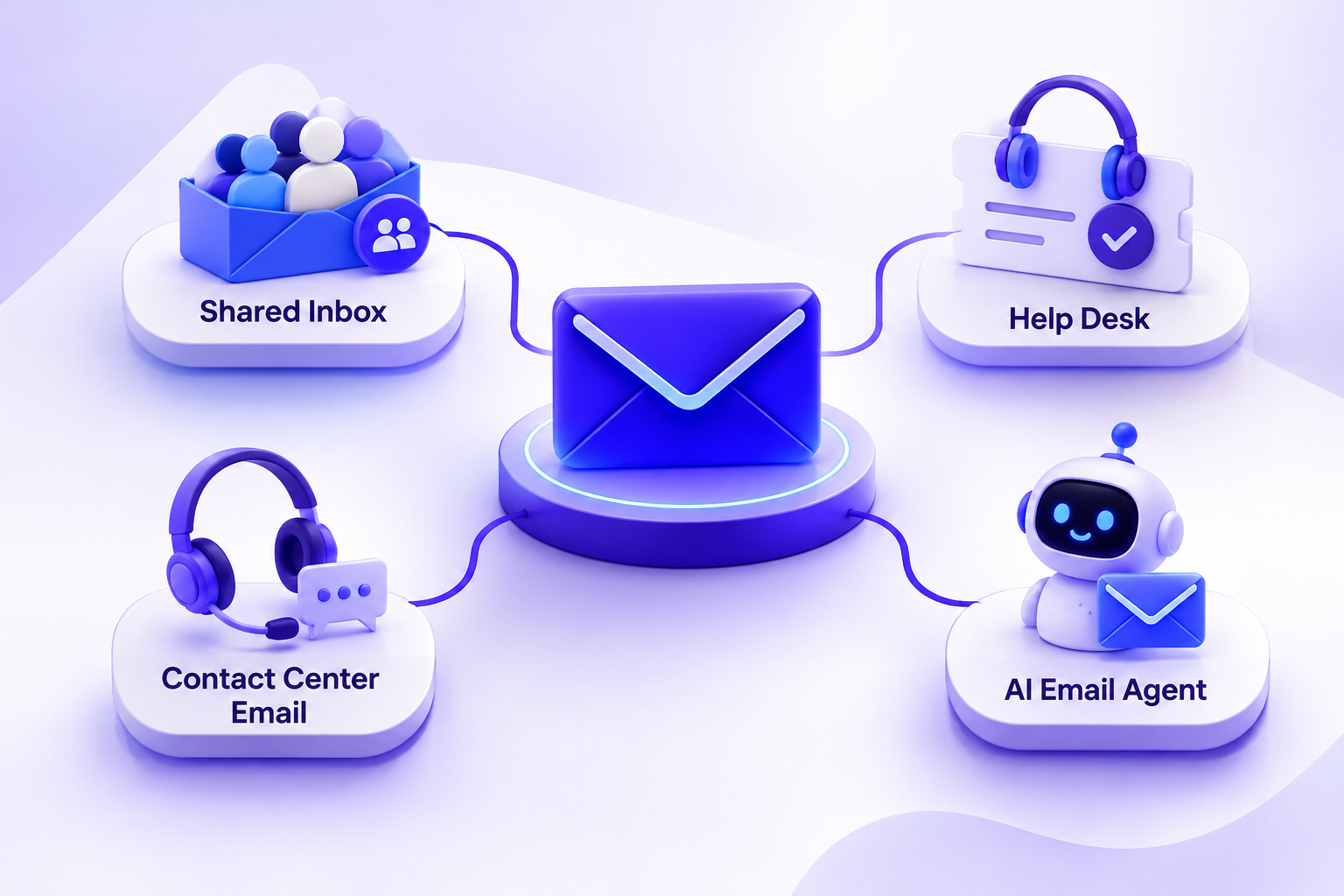
There are four types of customer email management software. Each solves a different problem. This table shows how they compare.
Shared inbox
- A shared inbox lets a team work from one address together. Anyone can assign an email. Anyone can leave an internal note. Nobody has to forward messages or copy people in.
- This type of customer email management software suits small teams with low volume. It is quick to set up. It feels like email, so people adopt it fast.
- The limits show up later. Reporting is basic. Automation is thin. Once you need response targets, you will want more.
Help desk or email ticketing system
- A help desk turns every email into a ticket. Each ticket has a status, a priority, and a response target. Nothing gets lost, and managers can see what is late.
- This fits growing support teams. It also fits teams that add chat, forms, or social channels. One queue holds it all.
- The cost is more setup and more process. Pricing often rises with every agent you add.

Contact center email (email response management)
- Some large teams handle email inside a contact center platform. Email sits next to voice and chat. Queues and workforce tools manage who answers what and when.
- This is customer email management software built for scale. It suits large, regulated operations. Think banks, insurers, and telecoms.
- For a small team, it is too much. The setup is long, and the price is high.
AI email agent
- An AI email agent reads, answers, and routes email. It works on top of the mailbox your team already uses. It can work alone. It can also sit beside a help desk.
- This type is the newest. It does the repetitive work so people can handle the hard cases. You can read more in our guide to the AI email agent.
Which type fits your team: a selection matrix
Most guides skip this part. Use the matrix below. Find your monthly email volume. Then check your team size, channels, and compliance needs.
Treat these as starting points. A small team with complex rules may need a help desk early. A large team with simple questions may need only an agent.
Features checklist
Not every team needs every feature. Use this list to mark what is essential.
Essential for most teams
- Collision detection, so two people never reply to one email
- Assignment and internal notes
- Response targets
- Templates
- Reporting
- Security and admin controls
Nice to have, or essential at scale
- Automation rules
- AI drafting
- Smart routing
- Integrations with your CRM and tools
If a tool misses an essential item, drop it. When you compare customer email management software, start with this list.
Best customer email management software by category
Here are two or three well-known tools in each category. We picked vendors that rank today. Details change often, so check each vendor's own site before you buy.
Shared inbox
- Front suits teams that want one inbox for many channels.
- Hiver suits teams that live in Gmail and want to stay there.
- Missive suits teams that mix email with team chat.
Help desk
- Help Scout suits teams that want a simple, email-first help desk.
- Zendesk suits teams that need deep ticketing across many channels.
Contact center email
- Five9 suits large teams that run voice, chat, and email together.
- Genesys suits large, regulated teams with complex routing needs.
For each of these, ask one question: does the plan I need include the reporting I need? Plans differ, and the answer is often no on entry tiers.
AI email agent
- Thunai offers email agents that work on Gmail and Outlook. It suits teams that want answers and routing without changing their mailbox.
- Watch out: the agent is only as good as the knowledge you give it, so plan time to load your content.
Where an AI email agent fits in your stack
An AI agent does not replace your mailbox. It works with it. Here are three common setups.
1. Agent on Gmail or Outlook alone. Your team keeps its mailbox. The agent reads new mail, drafts or sends replies, and sorts the rest. This is the lightest setup.
2. Agent in front of a help desk. The agent handles simple questions first. Only the hard cases become tickets. Your help desk queue gets shorter.
3. Agent for one mailbox, such as sales@. Sales mail needs fast replies. An agent can answer first questions and route leads to the right person.
Start small. One mailbox is enough to learn how it works.
How to run a two-week trial
Do not trust a demo. Test with your real emails. Run each tool for two weeks. Use the same mix of mail for each one.
Score each tool on four things:
- Answer accuracy: how often is the reply correct?
- Time saved per email: how many minutes did it save?
- Routing accuracy: did the mail reach the right person?
- Team feedback: would your team keep using it?
Pricing models: what to expect
Customer email management software uses three common pricing models. Prices change, so we list none here. Open each vendor's pricing page for current numbers.
Per seat. You pay for each person who uses the tool. Ask: do light users and admins count as seats? What happens when we add staff?
Per resolution. You pay when the tool solves a case. Ask: what counts as a resolution? Who decides? Is there a minimum?
Usage-based. You pay for what you use, such as emails handled. Ask: What is the unit? Is there a cap? What happens in a busy month?
Always ask about setup fees, contract length, and extra charges for reporting or AI features.
Why teams choose Thunai for customer email
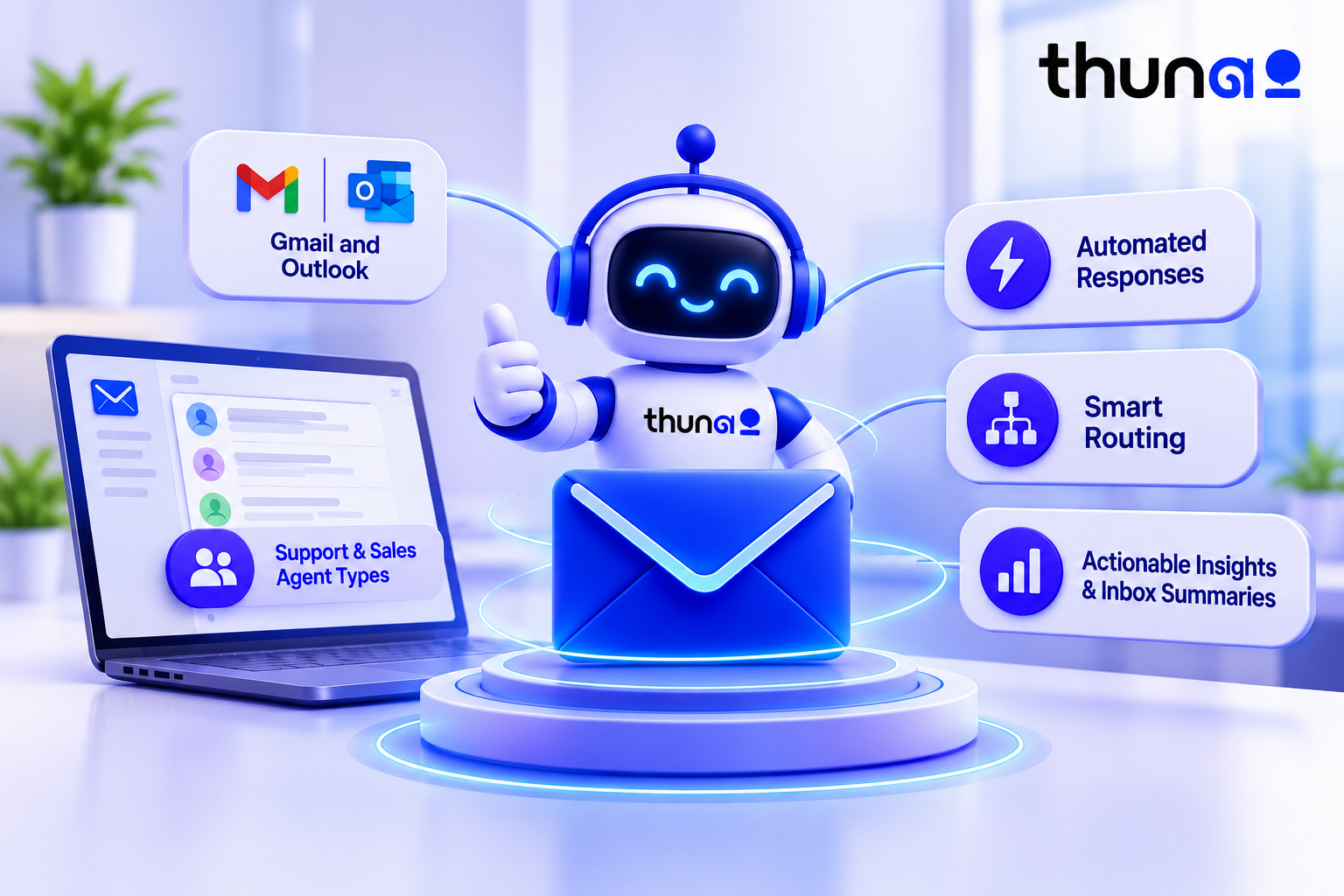
Thunai builds AI agents for business tasks. For email, here is what is documented:
- Email Agents for Gmail and Outlook. Connect a mailbox you already use.
- Support and sales agent types. Pick the role that fits the mailbox.
- Automated responses. The agent answers common questions for you.
- Smart routing. Mail goes to the right person or team.
- Actionable insights and inbox summaries. See what customers ask about and where mail piles up.
This makes Thunai a practical choice for teams that want less manual sorting and faster first replies.
It is also a good fit if you want customer email management software that works on top of your current setup. Setup guides are in the Thunai docs: Email Agents Setup in Thunai and Gmail Integration with Thunai.
Ready to reduce manual email handling and speed up customer responses? Book a Thunai demo today and see how AI email agents can transform your customer email management.
FAQs on Customer Email Management Software
What is the best email management software?
It depends on type and team size. In short:
- Shared inbox: best for small teams with low volume.
- Help desk: best for growing support teams.
- Contact center email: best for large, regulated operations.
- AI email agent: best for teams that want to automate repeat replies.
Which software is used to manage email?
It depends on the job. Teams often use Front, Hiver, or Missive for shared inboxes. They use Help Scout or Zendesk for ticketing. Large operations use Five9 or Genesys. Teams that want AI to answer and route mail use an agent such as Thunai.
What is an email response management system?
An email response management system is software that receives customer email and helps a team answer it fast and in a consistent way. It sorts incoming mail, routes it to the right person, suggests or sends replies, and tracks response times. Large contact centers use it most.
Can ChatGPT organize my email?
Not by itself. ChatGPT is a chat tool. You paste text in, and it writes text back. It does not watch your mailbox, route mail, or send replies. A connected agent does. It links to your mailbox, reads new mail, and acts on it. That is the difference.