
We are proud to announce that one of the most requested features from Thunai AI users (Zoom AI meeting assistant) is now officially live on the Zoom Marketplace!
For support leads and sales managers running large teams, the problem has always been the same!
The problem? Well, Zoom calls happen constantly, so getting EXACTLY the details of 50+ Zoom calls across teams is challenging.
But the insight from those calls RARELY makes it back into your workflow in any useful way.
Meaning notes are missed, CRM fields go unfilled, and coaching opportunities never get looked into - but here’s what Thunai AI for Zoom does to fix this.
What Does Thunai Do for Zoom Users?
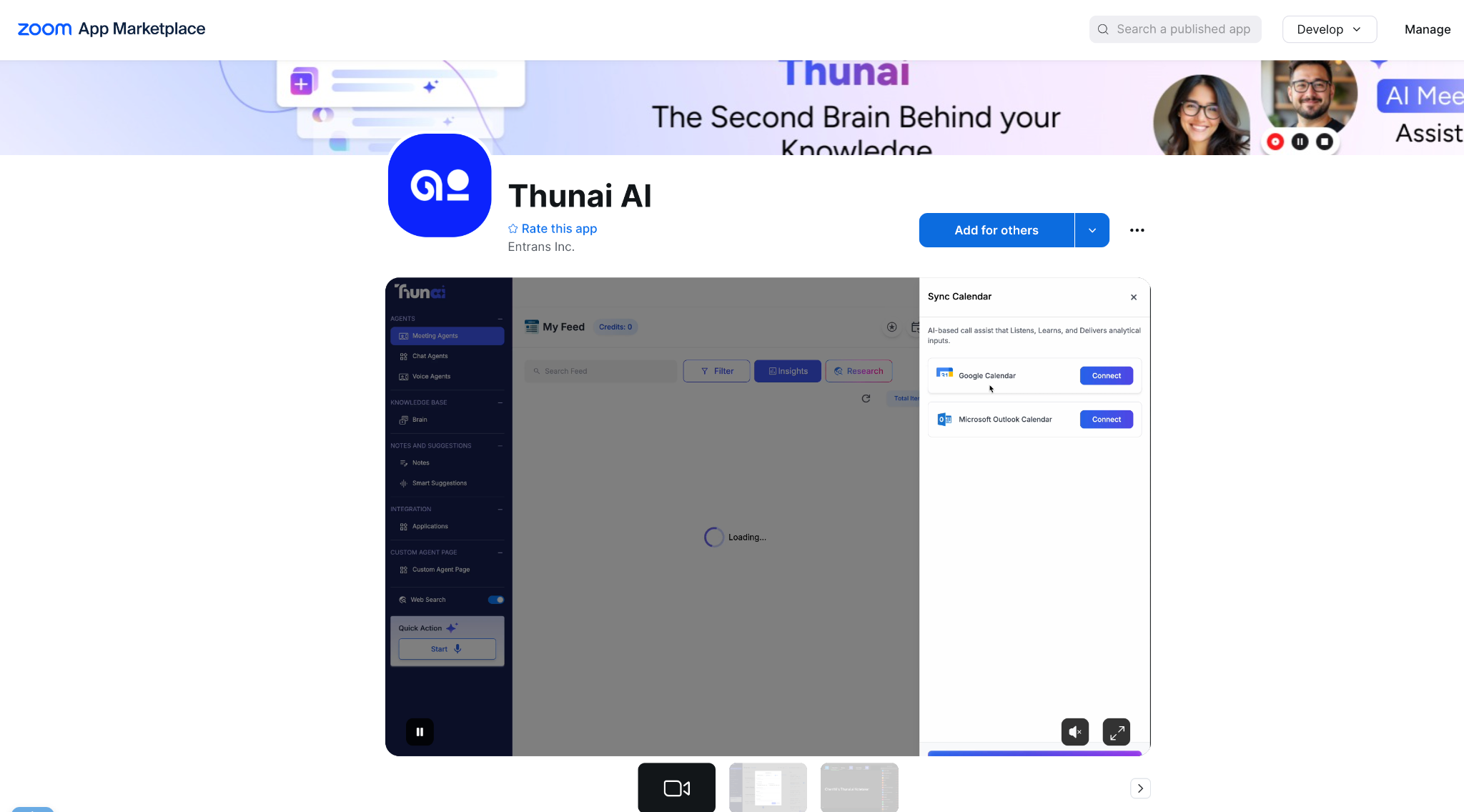
Thunai Zoom AI meeting assistant actively participates in all Zoom calls your team has, with multilingual AI agents and AI transcription in 200+ languages.
As soon as it is connected to a call, it starts transcribing, differentiating between speakers, analyzing sentiment, and extracting context from your knowledge base and CRM.
However, its involvement doesn’t end with the call being over.
After this happens, Thunai automatically compiles a summary, action points, looks at the criteria you set, and automatically updates to your CRM or helpdesk.
For support and sales teams on Zoom, using this AI meeting assistant means:
- All calls are scored automatically.
- Management can gain consistent insight into team performance objectively.
- Reps have less paperwork to do and can get back to work.

How Support Teams Benefit With Thunai AI Inside Zoom Marketplace
1. Live Meeting Support with Omnichannel Intelligence
Support teams rarely need to deal with just ONE channel at a time. A lot of the time, customers might come in through chat, escalate to a Zoom call, and then follow up over email.
Which is why our Zoom AI meeting assistant can use Thunai Omni to change this by making sure that when a Zoom call is active, it pulls in the customer's full conversation history across chat, email, and previous calls (This can even be a HUGE number like 1000+ documents and call transcriptions).
In doing so, Thunai AI for Zoom makes this clear to your agent right then and there – so your team fully understands the situation and has access to the right answers:
- Live sentiment alerting lets you spot frustrated customers before they escalate.
- Real-time AI guidance informs agents about what is being discussed on the call.
2. AI Call Scoring Based on Criteria You Set (Like SOPs)
Thunai AI call scoring for Zoom lets you define exactly what a great call looks like for your team and scores every Zoom call against that standard automatically from a scale of 0-100 on even 15 to 20 parameters you set.
If your SOPs include instructions for dealing with introductions, objections, or an appropriate call closure, then Thunai has built in a scoring system that takes those requirements into consideration.
That means your QA procedure has been made completely automatic and covers 100% of your requirements. Not only that, but you are no longer reliant on a supervisor listening to the recordings.
- Apply consistent assessment standards across your entire team.
- Detect gaps in conversations and flag them for coaching.
- Track score trends over time to measure training impact.
3. Sentiment Tracking With Summaries Post Calls
Customers on Zoom rarely tell you exactly how a call made them feel - they ignore surveys and feedback forms!
But this can be heard, sensed, and felt through the conversation.
Thunai AI for Zoom monitors the conversation’s sentiment and, after every single Zoom call, makes a structured report on the key points of discussion.
This AI meeting assistant helps covers the customer’s feelings at specific points of the call, and further actions required to:
- Get post-call summaries with sentiment analysis.
- Understand what successful calls did differently compared to difficult ones.
- Use call data to refine scripts and support responses over time.
4. Automatic CRM Updates and Ticket Creation
The biggest time-waster after any such support or sales calls on Zoom is when teams have to manually update CRM systems, automate ticket creation on JIRA (and platforms like it) for customers, log notes, or assign follow-ups.
With Thunai Common Agent and MCP, teams can automate all these tasks with the help of data from Zoom calls.
Thunai AI for Zoom works with 50+ enterprise tools, including Salesforce, HubSpot, Zendesk, and Jira, and is capable of both reading and updating your records automatically.
- Auto-create CRM records and update deal stages after every call.
- Generate and assign support tickets based on what was discussed.
- Trigger follow-up sequences without your team lifting a finger.
5. Zoom Call Automation With AI Agents Based on Call Transcripts
Most teams know their support or sales playbooks need updating, but never have the time or resources to do it properly.
This means call transcripts from Zoom are collected, and the insight in them goes unused!
This is why Thunai lets you build and refine AI voice, chat, and email agents directly from what is happening on your Zoom calls.
Thunai AI for Zoom will assist you in dealing with the same kinds of objections and challenges that arise on Zoom calls when using Thunai Sidekick or Copilot to assist you with questions on Zoom in real-time.
- Recurring patterns and mistakes made on hundreds of calls can be tracked.
- With the AI meeting assistant, you can improve scripts used by the agents through real conversation data.
Join the Automated Workflow Revolution With Thunai AI
The good news is that Thunai is live on Zoom Marketplace right now.
So whether you are managing a support team that handles escalations or a sales team closing deals - it can definitely help.
But the reality is that it might just in fact be the wrong tool for you. That’s why to help you and your team out, we can walk you through what you can do with Thunai on Zoom.
And better yet, show you the different workflows some of the enterprises that work with us use to 3X their productivity!
Ready to see what Thunai AI for Zoom can do? Get a free Thunai demo and find out.
FAQs on Thunai AI for Zoom
What does Thunai AI do on Zoom calls?
Thunai joins your Zoom calls as an AI assistant. Thunai transcribes the conversation, tracks sentiment, tells speakers apart, pulls out action items, and updates your CRM or helpdesk when the call ends. No manual input needed.
Is Thunai available on the Zoom Marketplace?
Yes. Thunai AI is now live on the Zoom Marketplace and connects directly to your existing Zoom account.
Which tools does Thunai integrate with?
Thunai works with over 50 tools, including Salesforce, HubSpot, Zendesk, Jira, and more. Thunai AI is also able to read and write data to your records automatically based on what was said on the call
Does Thunai work for both support and sales teams?
Yes. Using Thunai AI for Zoom or any other platform can set your own call scoring criteria, so support teams and sales teams can each define what a good call looks like for their work.