
If we told you could speed up how quickly you raise support tickets on Jira, it would be a no-brainer.
Why? Well, unfortunately, addressing issues manually can be inconvenient for anyone with limited bandwidth. This goes especially if you have several different responsibilities (which is a problem we’ve faced ourselves!).
The cost also adds up quietly. Jira Service Management benchmarks for 2026 show engineers burn 15 to 25 minutes just gathering context before they can start work on an escalated ticket.
To deal with this, we created a system where voice agents can help us handle this almost instantly, and here’s how it works…
How Voice Agents Automate Tech Calls and Raise Tickets Without Intervention
Voice agents can be customized to handle any type of query in regional and international languages and teams now also use AI agents to create jira tickets.
However, to handle this issue, you’ll first need to set up your agent to have access to tools and specify the functions you want them to perform.
The real change is accuracy. Older keyword-matching helpdesk tools topped out at 40% to 50% triage accuracy.
Luckily, Agentic AI setups read semantic intent instead of keywords and reach up to 95% routing accuracy.
They also make five front-of-queue decisions in under a second: tagging, routing, prioritizing, escalating, and triaging.
How to Automate Tech Calls and Raise Tickets With Thunai’s Voice Agent
Using Thunai, you can automate voice agents using the framework below:
- Set Up Integrations and Preferences: If your team is working with a specific tech stack, first, quickly enable the pre-built integrations that come fully loaded with Thunai. In this case, JIRA would be one such tool.
- Set Up a Voice Agent on Thunai: After doing this, go to Thunai Voice Agent tab and select the voice agent tab and select ‘support agent’ to create an agent that will help you automate tasks.
- Use Thunai Voice Agent Once Any Issue Arises: Open Thunai and ask your voice agent to address an issue or raise a ticket.
- Verbally Communicate the Issue to Thunai: After asking Thunai to raise a ticket, verbally convey details you want Thunai to address in the content.
- Thunai Will Ask for Additional Details: Thunai will verbally ask for a confirmation of the message and request additional information like your email ID if needed.
- The Issue Gets Raised on JIRA: After confirmation, the issue gets raised on JIRA to the specific stakeholder mentioned.
What Is Voice-to-Ticket Automation?
Voice-to-ticket automation captures what a caller says, transcribes it live, pulls out the real problem, and creates a Jira ticket from the audio alone.
Think of the old IVR menu, where you press 1 for billing and 2 for tech support. Voice agents skip that and just talk to people.
Here is what happens behind the scenes:
- Call routing: A provider like Twilio or Amazon Connect sends the call to your agent.
- Live transcription: Speech-to-text models handle 50 to 200 languages at 99.9% accuracy.
- Entity extraction: The LLM spots the caller, isolates the issue, reads sentiment, and sets urgency.
- Ticket creation: The agent builds a JSON payload and posts it to your helpdesk.
Use Cases for Using AI Agents to Automatically Raise JIRA Tickets Without Human Intervention
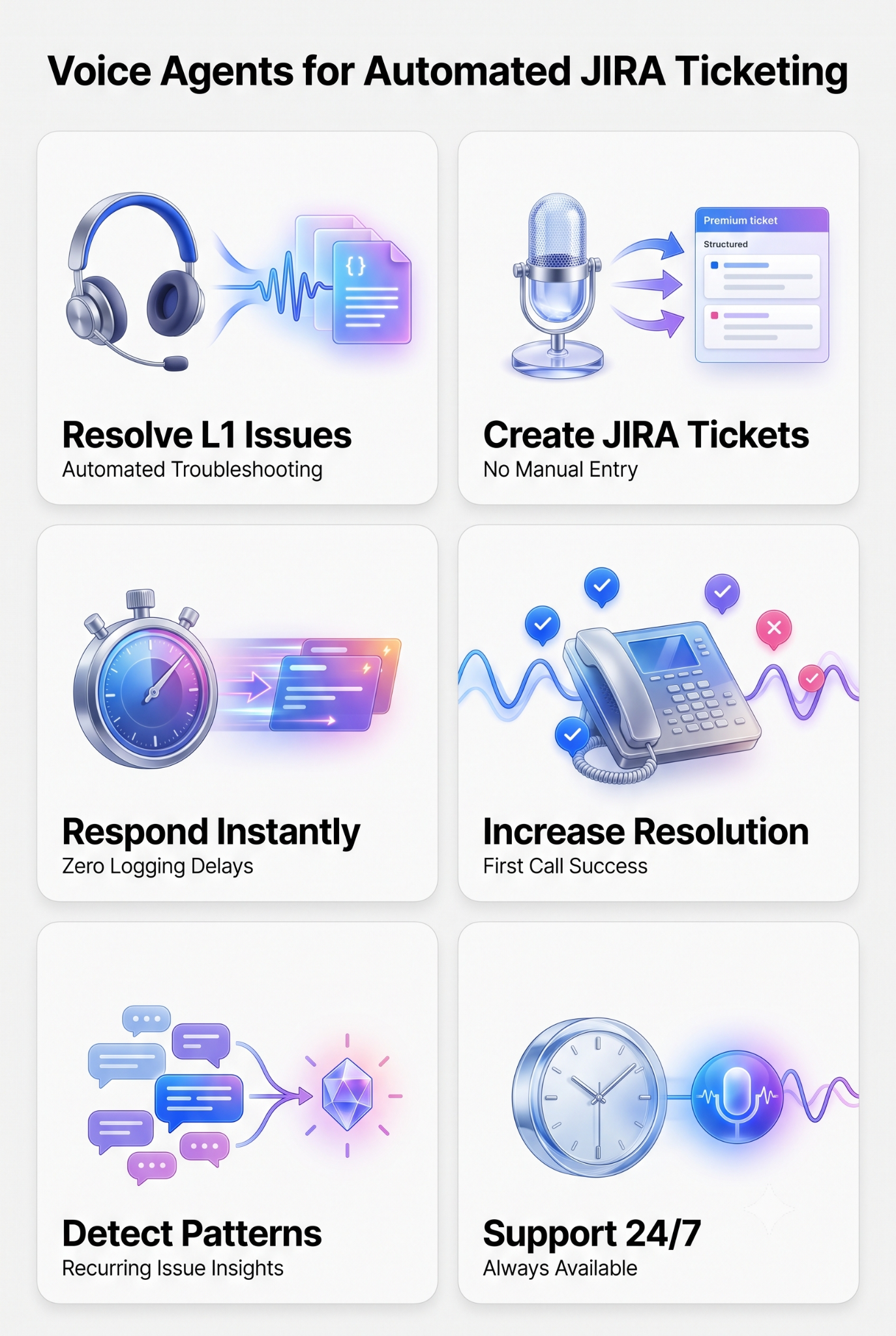
1. Handle Technical Support Calls Without Manual Effort
Using for L1 support calls requires quick responses and accurate issue tracking.
AI agents can take on these calls, answering customer inquiries, troubleshooting common issues, and escalating cases when needed.
Not to mention allowing Jira tickets to be created using AI workflows.
This allows teams to focus on higher-priority tasks while maintaining a smooth support experience.
- Troubleshoot problems using predefined workflows and knowledge bases.
- Transfers complex cases to human agents only when necessary.
2. Automatically Raise JIRA Tickets Without Human Input Using a Voice Agent
Tracking and managing IT support requests can be time-consuming. Using an AI support voice agent automatically generates JIRA tickets based on customer calls, capturing relevant details and categorizing them correctly without requiring manual entry.
An AI Agent extracts key issue details from customer conversations and creates structured JIRA tickets with relevant priority levels created with automatically.
3. Improve Support Workflows Using Voice Agents Without Slowing Down Response Times
Delays in logging and escalating issues can impact service quality. AI voice agents speed up the process by handling initial support calls, resolving routine requests, and raising tickets instantly when needed.
With AI voice agents, you can reduce wait times by handling multiple calls simultaneously, making sure that ticket details are also captured accurately from the start
4. Improve First-Call Resolution Rates Without Additional Workload
Many technical issues can be solved on the first call when handled correctly. Support voice agents apply AI-driven troubleshooting to guide users through common fixes, minimizing the need for escalations.
- Identifies recurring issues and applies known solutions.
- Walks customers through step-by-step troubleshooting.
- Escalates only unresolved cases to human agents.
5. Monitor Support Interactions to Identify Recurring Issues
Tracking patterns in support calls helps IT teams address underlying problems before they escalate. Support voice agents analyze interactions, surfacing common concerns and potential gaps in documentation or product design.
With voice agents, teams can detect frequently reported technical issues and figure out where self-service options can be improved.
6. Deliver Consistent Support Without Adding Staffing Challenges
Scaling a support team can be difficult without automation. Voice agents help bridge the gap by taking on L1 support tasks, keeping response times short and ticket resolution structured.
- Handles after-hours calls without requiring human agents.
- Maintains a consistent tone and process across all interactions.
Why Do Teams Still Create Tickets Manually?
The case for automating ticket creation using AI agents is strong! That said, while it may seem a waste of time - most automatino still stalls due to human, not technical reasons.
That said, while it may seem a waste of time, most automation still stalls due to human, not technical reasons.
- People hate change: Nobody wants to open a VPN, load a portal, and hunt through menus. So they fire off a vague email or message a technician directly. IT managers on r/sysadmin keep landing on the same conclusion: unless you enforce a no ticket, no help rule, workarounds win.
- The VIP problem: Executives often refuse to sit in a queue or talk to a bot. Once leadership opts out, the whole process degrades.
- Trust issues: Sysadmins have watched users paste a hallucinated ChatGPT answer instead of describing the real issue, a habit the community now calls AI mushy brain syndrome. Nobody wants to debug a failure the logs marked as a success.
- Governance paralysis: Gartner finds teams treat AI as either locked down or fully trusted. Many pick locked down and stay manual, which pushes staff toward unsanctioned shadow AI instead.
What Information Should Be Captured During Jira Ticket Automation?
A voice agent only skips human triage when the payload it sends is complete. Vague audio in a description field wastes the effort.
For Jira Ticket automation, CX teams should capture these six categories:
- User identity: Verified email, user record, and Active Directory ID. Links the ticket to CRM history.
- Temporal data: Creation timestamp in milliseconds, plus SLA fields for first response time.
- Issue context: An AI-written summary plus steps to reproduce and hardware specs.
- Routing tags: issuetype, requestType, product area, and root cause, so the ticket lands in the right queue.
- Priority signals: Urgency, SLA breach risk, and live sentiment. An angry VIP caller triggers a P1 on the spot.
- Security headers: The X-Atlassian-Webhook-Identifier and HMAC signature that prove the payload is real.
Common Mistakes When Automating Jira Ticket Creation
Gartner expects 40% of enterprises to shut down or demote their AI agents by 2027, over governance gaps caught too late.
Four mistakes cause most of the damage:
- Automating a messy taxonomy: Hundreds of overlapping request types will not sort themselves out. An AI layer on top just scales the mess faster.
- Automating everything on day one: Start with three to five high-volume intents like password resets. Prove 90% accuracy, then widen the scope.
- One governance rule for every agent: An agent that only observes needs light controls. An agent that writes data needs role-based access, audit logs, and security testing.
- Hiding the confidence threshold: When the agent is unsure, let it hand the ticket to a human with its reasoning attached. That fallback earns trust at launch.
Stop Handling Busy Work: Thunai Saves You Time By Raising Tickets For You
For stakeholders and managers, time is your most valuable resource.
With an AI agent like Thunai, you cut down on busy work and focus on the most impactful work. Work that makes a difference to your company and bottom line.
That’s not to mention that Thunai has already automated ticket summaries on Salesforce and ITSM issue resolution in under 0.8 seconds for a Fortune100 retrailer .
Not to mention it has multilingual AI voice agents that support 200+ languages!
Want to see how Thunai can make your life easier? Reach out for a free demo (no credit card details or strings attached!).
FAQs when Automating Jira Ticket Creation Using AI Agents
How does the AI agent handle sensitive data during ticket creation?
PII gets masked or stripped before the transcript reaches the LLM or the Jira payload. That keeps the workflow inside GDPR, SOC2, and industry privacy rules.
Do we have to replace Jira or ServiceNow to use an AI agent?
No, agentic AI sits on top of your current stack as an orchestration layer. Native APIs and two-way webhooks let the agent read and write in Jira while keeping your routing rules and SLAs.
Will AI agents replace human IT support staff?
The goal is augmentation, not replacement. Gartner expects human involvement in routine IT operations to fall from 95% in 2025 to 40% by 2028, which mostly clears out password resets and manual triage.
How do we measure ROI on AI ticket automation?
Track deflection rate, first response time, average handle time, and hours lost to manual triage. Composite enterprises moving to AI-powered ITSM average 275% ROI over three years, with payback usually under six months.




.png)