
Did you know most Webex Contact Center QA teams hear only a small fraction of their calls?
AI quality assurance for Webex Contact Center changes that. With this solution, all calls, chats, and emails are evaluated according to the scorecard you have, detecting compliance issues instantly and delivering coaching to your agents within minutes instead of weeks.
In this paper, you will find a comprehensive guide on automated call scoring, configuration of automated call scoring, development of an effective scorecard for call scoring using artificial intelligence, and validation of the scores.
What Is AI Quality Assurance for Webex Contact Center?
QA for AI entails the utilization of language models to score your customer engagement by translating the conversation to text and giving the conversation a score that meets your standards. This is done on all the conversations that you have, not a sample of them.
This is the entire concept of quality assurance. A machine analyzes everything. Humans are then free to concentrate on what only humans can do, like coaching, decision-making, and problem-solving.
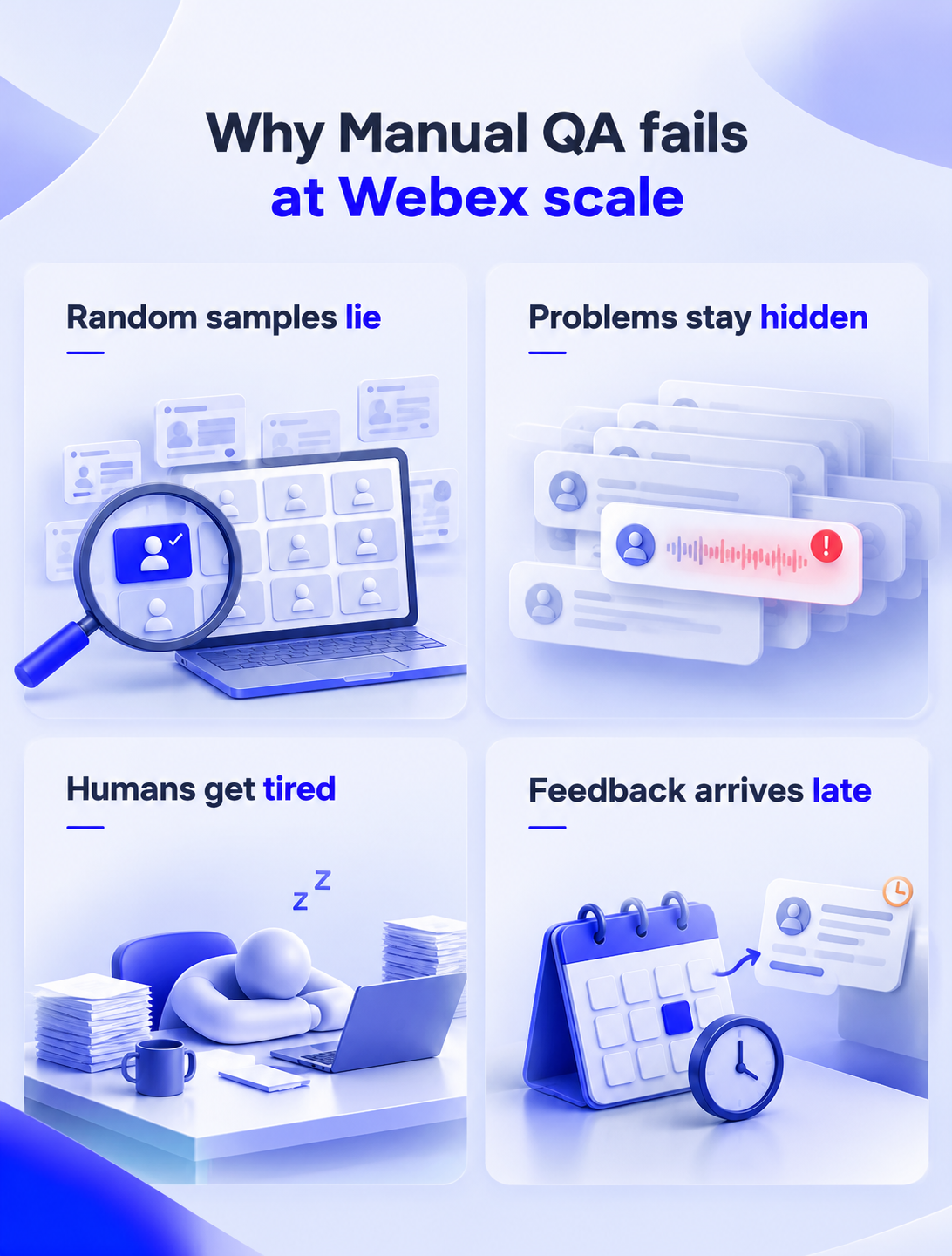
Why Manual QA fails at Webex scale
Imagine a busy Webex contact center. Thousands of conversations happen every day. Your QA team has a few analysts. Each one can review only so many calls per shift.
So they sample. A supervisor picks a few calls at random, scores them, and moves on. Here is where it goes wrong.
Random samples lie:
Say a supervisor happens to pull two great calls from an agent who is struggling. That agent looks fine on paper. Now flip it. A top agent gets a rough score because the sample landed on an angry caller during a billing outage. The agent did nothing wrong, but the score says otherwise.
Problems stay hidden:
A compliance slip, a wrong answer about a product, a customer who is about to leave. All of it can sit in the calls nobody heard. You find out later, usually from a complaint or a bill.
Humans get tired:
A reviewer scoring their fiftieth call of the week is not the same reviewer who scored the first one on Monday. Moods shift. Pet peeves creep in. Two good reviewers can score the same call differently.
Feedback arrives late:
By the time an agent hears about a mistake, days or weeks have passed. They've repeated it many times. The coaching feels like ancient history.
But wait, none of this is the fault of QA teams. They are working with an impossible job. The method is the problem.
How AI Call Scoring for Cisco Webex Works
AI Call scoring runs in four steps:
- Capture
- Score
- Review
- Act
Let me walk through each one.
Step 1: Capture recordings and transcripts from Webex Contact Center
Call recordings and transcriptions from Webex are imported into the software. Double tracking for the conversation on phones allows distinguishing the voice of the agent and that of the customer, which is useful for speaker recognition, disturbances, talk time, and emotional tagging.
Integration consolidates messages from chats, emails, and SMS.
Step 2: Score each call against scorecard criteria, with a justification per score
AI analysis goes beyond keyword search and recognizes the context of a message. When evaluating the empathy score, for instance, the customer's emotions and response of the agent are taken into account.
Each score comes with an explanation and timestamp of the particular call section.
Step 3: Review: supervisor edits, agent disputes, calibration
The supervisors analyze the completed evaluations, look into the issues raised, and rectify any wrong scores.
In addition, the agents may challenge the scores in case the AI fails to understand the context.
Step 4: Act: coaching, compliance alerts, CRM sync
Recording conversations through dual channels is made possible by which it easy to differentiate between the voice of the agent and that of the customer; hence, it becomes possible to tag speaker, interference, talk time, and emotion.
Integration involves capturing messages from chat, email, and SMS.
Three Ways to Get AI Quality Monitoring for Webex Contact Center
You have three main paths. Each has trade-offs, so pick the one that fits your situation.
Option 1: Webex AI Quality Management
Now, Cisco has also launched its own AI quality tool as an additional feature with the SKU A-FLEX-AI-QM. It is embedded within Webex Control Hub, making the installation process seem like second nature to you. Supervisors can create evaluation forms using yes/no, scale, or single-select questions.
However, there are some limitations that you need to know before purchasing:
- Their generative scoring system is limited to the English language. This will definitely be a disadvantage for you if you cater to customers from different regions.
- Their speech analytics are basic. The features include cross-talk, talk ratio, and dead air.
- If you have published an evaluation form, then you cannot alter the scoring criteria. You can only modify the assignment and routing.
Option 2: Webex WFO with Calabrio or Verint
Most organizations prefer the Webex Workforce Optimization Package. Cisco partners in this case include Calabrio and Verint, which have been for years leaders in the field of scheduling, recording, and quality management.
This solution transfers recordings from Webex to the partner’s dashboard and analyzes them there. Verint provides automated quality bots, while Calabrio delivers robust speech analytics and recording compliance solutions.
Licensing usually depends on the number of named agents. Any extra storage and processing above the contracted amount will incur overage SKU charges.
Option 3: A Third-Party AI QA Layered on Webex
The third way is to put an AI-first platform above Webex. Those solutions interact with each other using API or SIPREC flows.
Here are some examples:
- MiaRec provides QA and speech analytics for compliance-oriented departments.
- Balto concentrates on coaching. This solution provides coaching during a live call.
- Thunai is the solution that we create as an overlay. The interaction with Webex is possible through the Multi-agent Communication Protocol (MCP).
You don't need to make any changes to your routing and IVR. It works as an overlay and provides scoring, notifications, and integration with CRM.
Side-by-Side Comparison
There's no single right answer. If you're an English-only team that wants the easiest setup, native may be enough.
If you need deep workforce tools, WFO fits. If you run global operations or want fast, flexible scorecards, an overlay makes more sense.
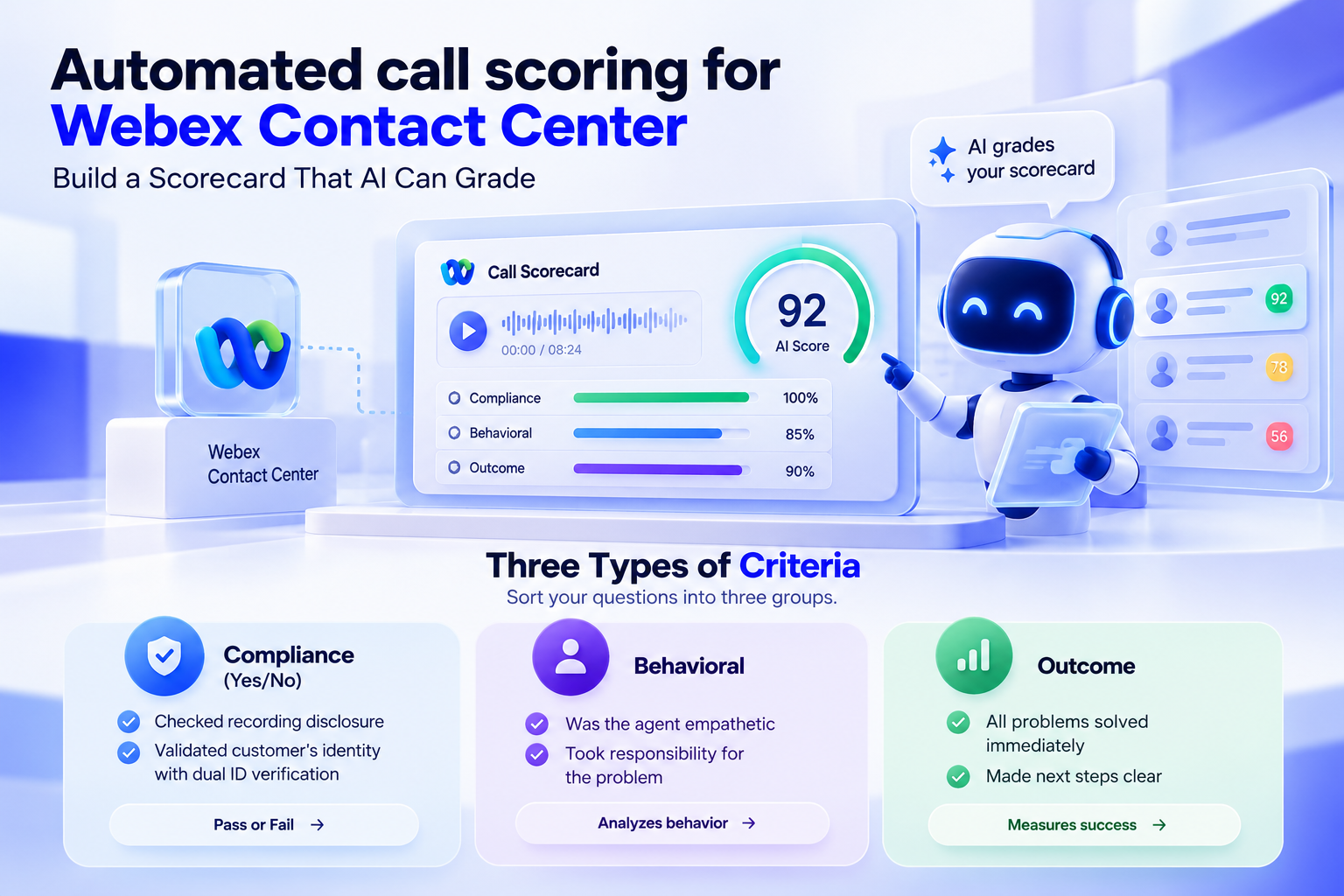
Automated call scoring for Webex Contact Center: Build a Scorecard That AI Can Grade
Here is a mistake I see all the time. A team takes its old paper scorecard and feeds it to an AI. The results are poor, and everyone blames the AI.
The scorecard is the problem. Old scorecards are full of vague lines like "Agent showed good customer service." A human reviewer fills in the gaps from experience. An AI can't. It needs clear, specific questions.
Three Types of Criteria
Sort your questions into three groups.
Compliance (Yes/No)
These are hard rules. Did the agent check the recording disclosure? Did the agent validate the customer’s identity with dual ID verification? No gray areas here. The AI will give you a pass or a fail based on the criteria and can notify your legal or security teams of any violations.
Behavioral
These are soft skills. Was the agent empathetic in case a problem was revealed by the customer? Did the agent take responsibility for the problem or pass the buck to some other department? The artificial intelligence is analyzing the behavior based on these criteria.
Outcome
The above-mentioned criteria are used to measure success based on results. Are all the problems solved immediately? Has the agent made clear what will be done next?
A Sample Scorecard
Here's a starting template you can adapt.
Weights and Auto-Fail Rules
Not every question deserves equal weight. A warm tone matters. But skipping identity checks can create a legal and security problem.
If the AI sees the agent skip verification, the score drops to zero. It doesn't matter how kind or quick the agent was. The call goes straight to a supervisor for review. This keeps the most serious risks from hiding behind a good average.
AI- Powered call auditing for Webex: Compliance Auditing on Every Call
Contact centers operate under strict regulations such as payment card standards, health data privacy, and financial regulations. With AI analysis of every call, there is a complete audit trail. Learn more about AI-powered call auditing and real-time quality monitoring.
Payment data - Under card standards, no complete card number or code should be stored in either recordings or transcripts. This can be effectively done with AI systems. They detect card numbers as they're spoken, replace them with markers in the transcript, and mask the audio.
Health data - The same logic applies to protected health information. The AI scrubs it from transcripts so private details don't leak into places they shouldn't.
Real-time flags - Suppose a financial agent gives investment advice they aren't licensed to give. A full-coverage system can flag that call fast. You can step in, talk to the customer, and fix the issue before it turns into a fine or a headline.
Calibrating AI Against Human Reviewers
This is the part most vendors skip. I think it's the most important part of the whole project.
You should never switch on AI scoring and just trust it. You need to prove it agrees with your best people. Here's the process I recommend.
Step 1: Build a calibration set
Pick a group of calls that reflects real life. Include easy, quick resolutions. Include angry customers. Include tough technical escalations. Include calls with heavy accents or poor audio. If your set is too clean, you'll get a false sense of confidence.
Step 2: Score blind
Let the AI score the whole set. At the same time, have two senior QA reviewers score the same calls with the same scorecard. They must work alone. They shouldn't see the AI's results or talk to each other.
Step 3: Measure agreement
Use a statistical measure called Fleiss' Kappa. It tells you how much raters agree after removing agreement that happens by pure luck. Look at it question by question, not just overall. A high overall number can hide one badly scored question.
Step 4: Fix the gaps
Whenever there is a disagreement between the AI and the human, dig deeper. Do not jump to conclusions and put all the blame on the model. As I have found from experience, the fault lies within the prompts. If the AI is failing to show empathy, then you should revise the prompt.
Step 5: Re-score and repeat
Run the set again. Keep tuning until agreement is strong and stable.
Step 6: Make it a habit
Perform the task periodically. Your products evolve, your clients evolve, and your language evolves. Unless you test on a periodic basis, your scores will slowly become irrelevant.
One QA Program for Human Agents and Webex AI Agents
Webex Contact Center includes Webex AI Agent and handles self-service on voice and digital channels, from simple scripted flows to fully autonomous conversations.
Here's a mistake I see often. Companies judge bots by one standard and humans by another. That's backwards.
Bots should follow the same quality standards as human agents. Determine if they are using approved procedures, authenticating customers, keeping a professional demeanor, and properly addressing frustration.
One scorecard helps compare teams fairly. Teams will be able to see what bots are doing well, find customer experience problems, and fix problems before they become bigger problems.
How Thunai Handles QA for Webex
I'll be open here, since this is the product we build.
Thunai connects to Webex Contact Center through an MCP layer. We don't touch your routing or telephony. We sit on top, read the conversations, and score them.
Here's what that means in practice:
- Every conversation is scored. Voice and digital, human and AI agents.
- Scorecards match your method. Whether you run a sales process or a technical support framework, you build the card around it, and you can change it as you learn.
- Many languages, natively. If your Webex tenant serves Europe, Asia, and Latin America, you don't need a separate tool for each region.
- Violations get flagged fast. It also tracks sentiment across the full interaction.
- Your CRM stays current. Call grades, sentiment, and deal signals sync both ways with Salesforce and HubSpot.
With Thunai, the signal is captured, and the deal record updates in your CRM. The agent doesn't have to type a thing. Support becomes a source of revenue intelligence instead of a cost center.
Metrics That Prove QA ROI
Leaders will ask what they get for the investment. Track these before and after launch. Need more benchmarks? Then explore audit scoring metrics.
- QA coverage: How much of your volume gets reviewed. You go from a thin sample to everything.
- Time from call to feedback: Manual QA can take days or weeks. AI cuts that to minutes. An agent can get coaching on a rough call before the shift ends, which stops the mistake from repeating.
- Reviewer variance: Track agreement over time. Stable, high agreement ends the old argument about "strict" and "easy" reviewers. Agents trust the system more, and morale improves.
- Customer satisfaction (CSAT): When you spot rude or cold behavior right away and coach it, customer ratings rise.
- First contact resolution: The scorecard shows which troubleshooting steps agents skip. Fixing that means more customers get the right answer the first time and fewer call back.
Ready to score 100% of your Webex calls? Book a demo and see it live on your own conversations.
FAQs about AI Quality Assurance for Webex Contact Center
Does Webex Contact Center have built-in AI quality management?
Yes. Cisco offers Webex AI Quality Management inside Control Hub. It provides automated evaluations, coaching insights, and basic sentiment analysis.
What license do I need for Webex AI Quality Management?
You need the add-on SKU A-FLEX-AI-QM, or the AI Quality Management bundle SKU, as part of the Cisco Collaboration Flex Plan.
Can Webex score every call, and in which languages?
The native tool scores every interaction that matches your assignment rules. Its generative scoring works mainly in English. Teams that need broad language coverage often add a third-party overlay.
How is Webex AI QM different from Webex WFO or Calabrio QM?
Webex AI QM is Cisco's built-in tool. WFO uses partner technology from Calabrio or Verint, with recordings analyzed in their own dashboards. WFO offers deep analytics and scheduling, but often brings named-agent licensing and storage overage costs.
Can third-party AI QA tools work with Webex Contact Center?
Yes. Tools like Thunai, MiaRec, and Balto connect through APIs or SIPREC. Thunai uses an MCP overlay, so your routing stays untouched.
How accurate is AI scoring compared with human reviewers?
It depends on setup. With a good scorecard and regular calibration, AI can match the consistency of skilled human reviewers. You measure this with Fleiss' Kappa and fix any gaps by improving the scorecard instructions.
How much of their calls can manual QA actually review?
Only a small fraction. That limit is the main reason teams move to automated scoring.