
Would your agents trust a suggestion that shows up a full second too late?
They wouldn't. And they'd be right not to. Real-time agent assist only works if it's fast - milliseconds fast, not just fast in a sales pitch.
This guide explains how the technology works, what a good system looks like in 2026, and what separates a tool agents actually use from one they quietly turn off.
What Is Real-Time Agent Assist?
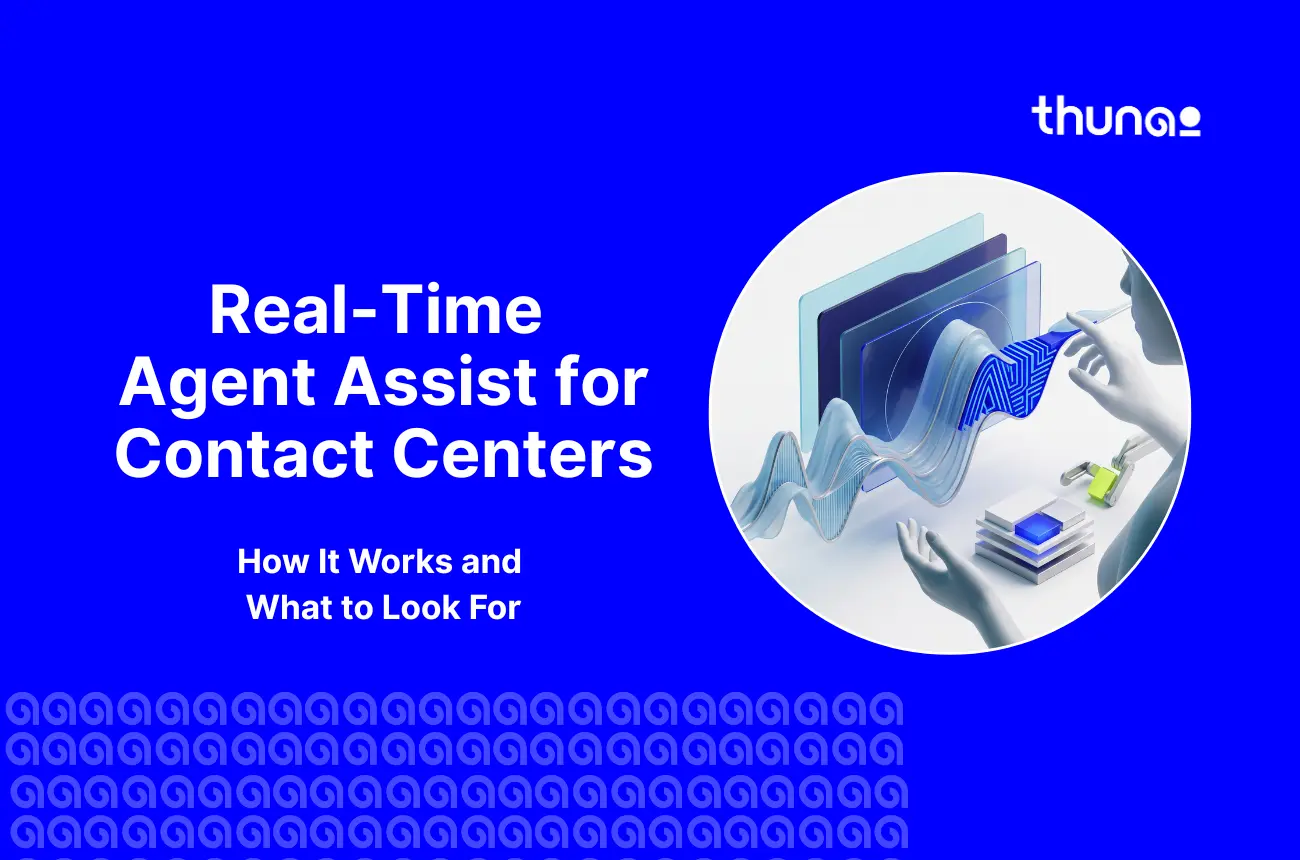
Real-time agent assist is an AI tool that listens to a live call between an agent and a customer. While the call is still happening, it sends helpful tips to the agent's screen - like a compliance reminder, a next step, or a suggested reply.
On the whole, in-call representative support can be improved by deploying real-time AI agent assist tools across frontline workflows.
Real-Time Assist vs. Post-Call Analysis
Post-call analysis looks at a conversation after it ends. That's useful for coaching later, but it doesn't help the customer who is on the phone right now.
Real-time assist steps in during the call. It can catch a mistake or calm down an upset customer before the call is even over.
Where Agent Assist Sits in the Contact Center Stack
Agent Assist sits between the phone system and the agent's screen.
It listens to the call, checks the company's knowledge base, and shows helpful info right where agents already work. It doesn't replace your phone system. It adds a smart layer on top of it.
Architecture decisions can be helped when comparing options against the enterprise contact center solutions available.
Who It Is For: Agents, Supervisors, QA and Ops
Agents get in-the-moment guidance. Supervisors get a live dashboard instead of a stack of recordings to review next week.
QA gets 100% coverage instead of a 2% sample. Operations leaders get the productivity and ramp-time data needed to justify the investment.

How Real-Time Agent Assist Works
The architecture is a multi-stage pipeline that has to execute sequentially inside a fraction of a second - each stage adds latency, and the combined budget for all of them is brutally small.
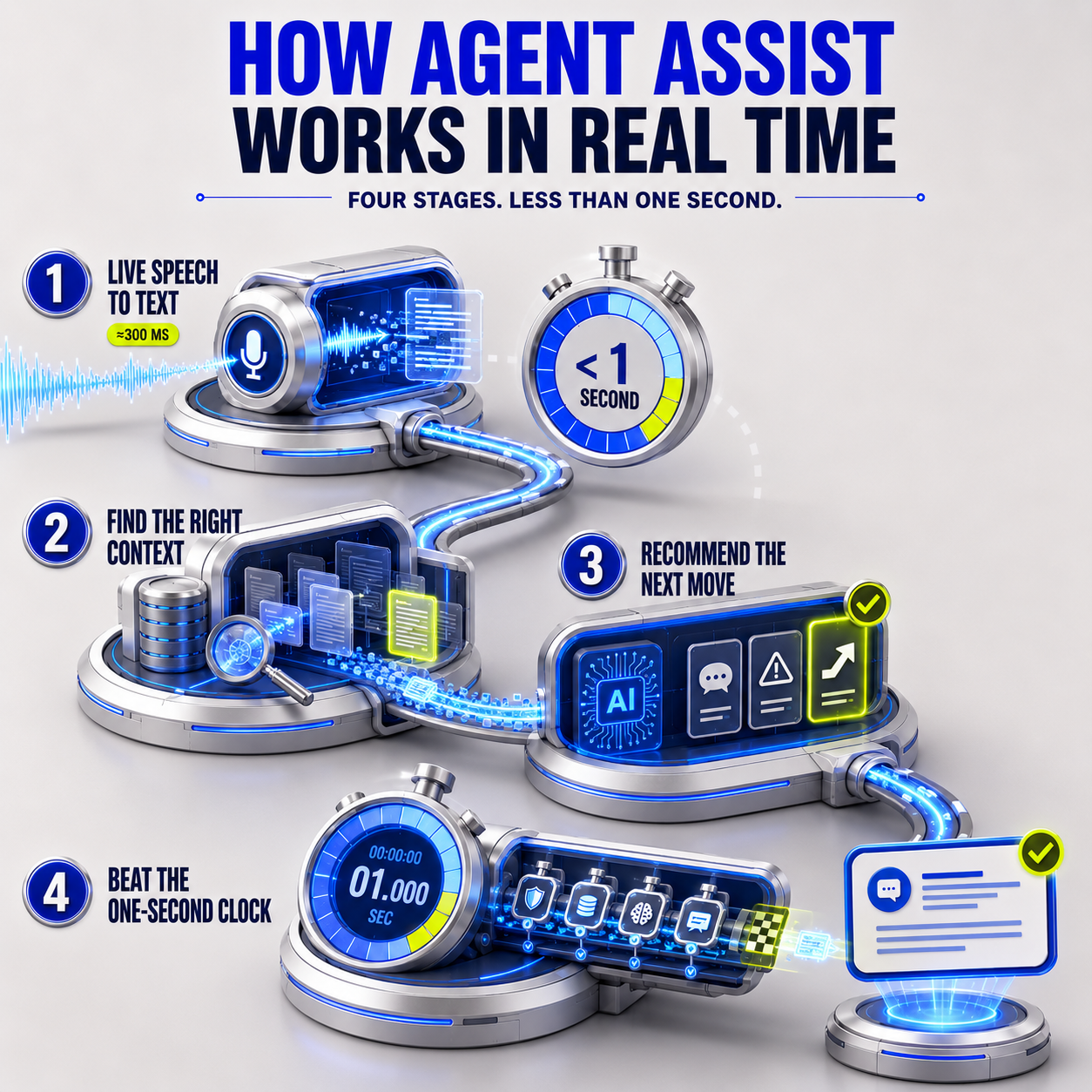
1. Streaming Transcription and Live Speech Recognition
Speech-to-text software turns the call into text as people talk. It works in small pieces - usually less than half a second at a time - so it can show text almost instantly.
The best tools can turn spoken words into text in about 300 milliseconds.
2. Intent Detection and Context Retrieval From Knowledge Sources
Next, the system reads the live text and searches for matching information. This step is called retrieval, and it's where most problems actually happen - not in the AI itself.
If it searches through documents that are too long, it gets buried in extra details. If the pieces are too short, it misses important facts.
3. Next Best Action and Guided Workflows
Once the system finds the right information, it uses that to suggest a reply, a warning, or a next step.
Good systems are built to use only facts they actually found. They shouldn't make things up.
4. The Latency Budget: What Real Time Actually Means
Every step above has to happen in under one second, start to finish. Turning speech into text alone can take up to 300 milliseconds.
That leaves very little time for everything else: checking for private info, searching for facts, running the AI, and showing the result on screen. If the system takes too long, the agent has already replied. The suggestion is useless by the time it shows up.
Essential Capabilities to Expect in Real-Time Agent Assist Tools for 2026
A lot of vendor demos look the same. Here are six features that actually show whether a system is built well. That said, evaluating these features can be helped by understanding broader call center automation trends across the industry.
1. Live Answer Suggestions and Knowledge Surfacing
A good system shows the exact answer an agent needs - the right policy line, the right price, the right troubleshooting step.
It shouldn't just send a link to a 40-page PDF and make the agent search it themselves.
2. Real-Time Compliance Prompts and Script Adherence
If an agent skips a required disclaimer or script, the system flags it right away.
This catches the problem during the call, not days later during a random review.
3. Sentiment Shifts, Silence and Escalation Alerts
The system watches for signs that a customer is getting upset, or that the call has gone quiet.
With this kind of feature, you can alert a supervisor to jump in, or remind the agent to slow down - before the call turns into a complaint.
4. Automated Call Summaries, Dispositions and After-Call Work
After the call, the system writes a summary and picks a category on its own. This saves agents a lot of time.
But there's a catch: if the transcript was messy, the summary might invent details that never happened. These summaries still need a quick human check.
5. Whisper Coaching and Supervisor Barge-In
Supervisors can watch every live call on one screen, sorted by how risky or negative each one looks.
They can quietly coach an agent through their headset, or join the call directly if needed.
6. Multilingual and Accent Handling
Modern acoustic models process heavy accents and background noise without the accuracy collapse that plagued earlier, keyword-based transcription engines.
How Agent Assist Changes by Channel: Voice, Chat, Email and Meetings
The underlying pipeline stays the same, but the constraints shift meaningfully by channel.
- Voice: The hardest environment - overlapping speech, accents, and the strict sub-second latency budget all apply at once.
- Chat: More forgiving on latency since there's no live audio to transcribe, but suggestions still need to land before the customer sends a second message.
- Email: Effectively asynchronous agent assist - drafting a grounded, policy-compliant response rather than reacting inside a live back-and-forth.
- Meetings and Video: Adds diarization across multiple speakers and screen-share context, closer to a live transcription-plus-summary tool than a single-agent assist panel. Visual collaboration can be improved by deploying an AI voice agent with screen sharing during complex technical calls.
Business Impact: The Metrics Agent Assist Moves
Deflection rate doesn't apply here - agent assist keeps a human in the loop, so the metrics that matter measure how much better, not how much less, that human works.
1. Average Handle Time and After-Call Work
Faster knowledge retrieval and automated summaries cut both the live call duration and the minutes an agent spends on notes immediately after it ends.
2. First Call Resolution and CSAT
Surfacing the correct answer on the first attempt, instead of a transfer or a callback, is what actually moves resolution and satisfaction scores - not the mere presence of an AI panel.
3. New-Hire Ramp Time and Agent Attrition
A National Bureau of Economic Research study of 5,179 agents found a 14% average productivity gain from generative AI assistance, concentrated heavily among novice agents - a 34% boost - effectively compressing the time it takes a new hire to perform like a veteran.
4. QA Scores and Compliance Adherence
Machine-scored evaluation against every interaction replaces a manual sample of a few calls a month, closing the blind spot legacy QA programs have always operated with.
Overall interaction oversight can be improved by utilizing AI call auditing and real-time quality monitoring alongside live agent prompts.
How to Build the ROI Case Before You Buy
Anchor the business case to Suggestion Acceptance Rate rather than raw AI precision - a tool agents ignore produces zero return, regardless of how technically accurate its suggestions are.
Where Real-Time Agent Assist Fails
Vendor demos run on clean audio and a curated five-page knowledge base. Production runs on neither, and that gap is where most deployments actually break.
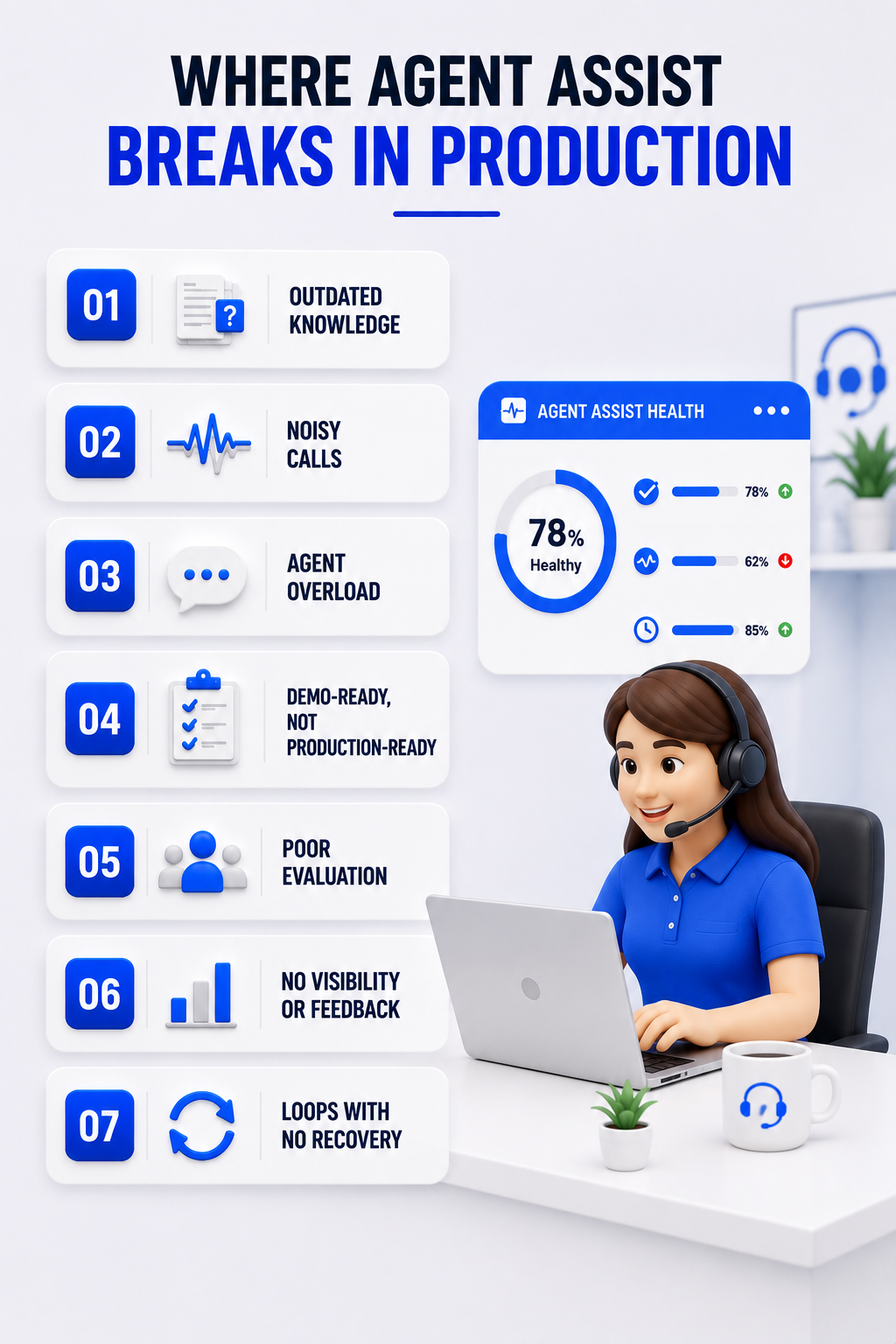
1. Stale or Fragmented Knowledge Bases
If the vector store indexes an outdated PDF or conflicting SharePoint copies, the retrieval layer fetches the wrong policy - and the LLM will faithfully, confidently summarize it as fact.
2. Transcription Accuracy in Noisy and Accented Calls
Heavy accents, crosstalk, and poor call quality degrade streaming ASR accuracy in exactly the production conditions a clean vendor demo never has to survive.
3. Prompt Fatigue and Loss of Agent Trust
Flashing a suggestion on every single turn overwhelms agents already juggling a live caller and CRM data entry. Adoption doesn't decline gradually here - it drops to zero once agents learn to tune the panel out.
4. Assist That Scores Well in Demos and Stalls in Production
A 12.6% RAG pipeline failure rate shows up even when systems are handed perfect, ground-truth documents in testing - proof that retrieval and reasoning gaps survive well past the proof-of-concept stage.
Integration and Deployment Requirements
One of the biggest mistakes buyers make is treating agent assist like a single AI model, instead of a full system that has to connect to everything else.
CCaaS and Telephony Integration
To listen to live calls, the system needs a way to tap into the phone system without disrupting it. This is usually done through special audio-sharing tools. Web-based call systems can often do this even faster.
CRM, Ticketing and Order-Management Integration
If a call summary doesn't automatically show up in your CRM or ticket system, it's not really saving anyone time. It just becomes one more manual task.
Cloud, VPC and On-Device Inference
Some systems don't remember anything between calls. They only look at the current conversation. Others keep a full history of each customer. Both setups are common in production. The right choice depends on your privacy rules and how much history you actually need.
Security, PII Redaction and Data Residency
Sensitive details, like credit card or social security numbers, need to be blocked out fast, before the text ever reaches an outside AI service. This usually has to happen in under 20 milliseconds to meet payment security rules.
How to Evaluate Real-Time Agent Assist Vendors
A structured evaluation catches the gaps a polished demo is specifically designed to hide.
Vendor Evaluation Scorecard
- End-to-End Latency: Ask for the millisecond breakdown per stage, not a single marketing number.
- Retrieval Precision: Test against your actual, messy knowledge base - not a curated sample.
- Hallucination and Groundedness: Ask how faithfulness gets measured, and how often.
- CRM Integration Depth: Confirm summaries auto-populate your systems without custom middleware.
- PII Security and Compliance: Confirm redaction happens before data leaves your network.
- Agent UX and Cognitive Load: Ask how many suggestions appear per turn, by default.
Questions to Ask in the Demo
- What is the latency under real call volume, not a quiet demo room?
- How is Suggestion Acceptance Rate tracked, and what's the benchmark for a mature deployment?
- What happens when the knowledge base has conflicting documents?
- Does this run stateless per call, or does it retain context across sessions?
Designing a 60 to 90 Day Pilot With Success Criteria
Run the pilot against a real queue, not a curated one, and set a target Suggestion Acceptance Rate upfront - mature deployments typically land between 40% and 60%, while early, untuned rollouts often start closer to 10% to 25%.
Rollout Roadmap: Pilot to Full Deployment
- Narrow Pilot: One queue, one use case, real agents - not a lab environment.
- Tune the Knowledge Base: Fix the chunking and retrieval gaps the pilot actually surfaces.
- Expand by Use Case: Add compliance prompts or summarization before adding new queues.
- Scale Across Queues: Roll out further once acceptance rate and latency both hold steady.
- Continuous Evaluation: Keep grounding and acceptance metrics running permanently, not just at launch.
Change Management and Agent Enablement
Agents who feel surveilled disable the tool; agents who understand it as a safety net that catches them, not a scorecard that watches them, actually use it. Involve frontline agents in tuning suggestion volume before full rollout, not after adoption has already collapsed.
Real-Time Agent Assist With Thunai
Thunai's Real-Time Live Agent Assist is built exactly for this job. It's a true live intelligence tool, not just a chatbot bolted on.
- CX Automation Across Every Channel With Thunai Omni: Thunai listens to voice, chat, and email at the same time, using a fast streaming system instead of checking for updates on a delay. It supports over 150 languages across more than 15 channels.
- Answers Based on Real Facts Using Thunai Brain: Thunai acts as a unified AI knowledge base before it suggests anything, so answers stay grounded in real company information. It also tracks customer mood live and flags a call the moment things turn negative.
- Real, Measurable Results Using AI Call Scoring: Agents using Thunai get up to 3 times more productive, and average call time drops by up to 70%. On top of that, AI handles 70-80% of simple support questions completely on its own.
- Fully Checked, Fully Secure: Every single interaction gets automatically reviewed against your company's rules, not just a small sample. Each company's setup stays completely separate, with no shared data used to train other models.
Want to see Thunai live agent assist in action? Book a free demo with our team!
Frequently Asked Questions
What's the difference between agent assist and an AI agent?
Agent assist keeps a human as the final decision-maker - it suggests, and the agent chooses whether to use it. An AI agent executes multi-step actions autonomously across backend systems, without waiting for a human to approve each step.
How fast does real-time agent assist actually need to be?
Under 1,000 milliseconds end-to-end, ideally. Past that threshold, the agent has typically already responded to the customer, and the suggestion arrives too late to change the outcome of that turn.
Does more AI guidance always improve agent performance?
No. Over-prompting causes alert fatigue, and agents adapt by ignoring the panel entirely - which is why acceptance rate matters more than suggestion volume.
What's a realistic Suggestion Acceptance Rate to expect?
Early, untuned deployments often see 10% to 25%. Mature, well-tuned platforms typically reach 40% to 60% - use that range to judge whether a pilot is actually working.