
Think about this for a second.
Most supervisors hear one to three percent of their team's calls. Maybe the rest, around 97 percent, goes unheard.
Cisco does sell analytics, sure, but they're split across add-ons and license tiers. I've seen sharp leaders lose an afternoon just working out which tier gives them what.
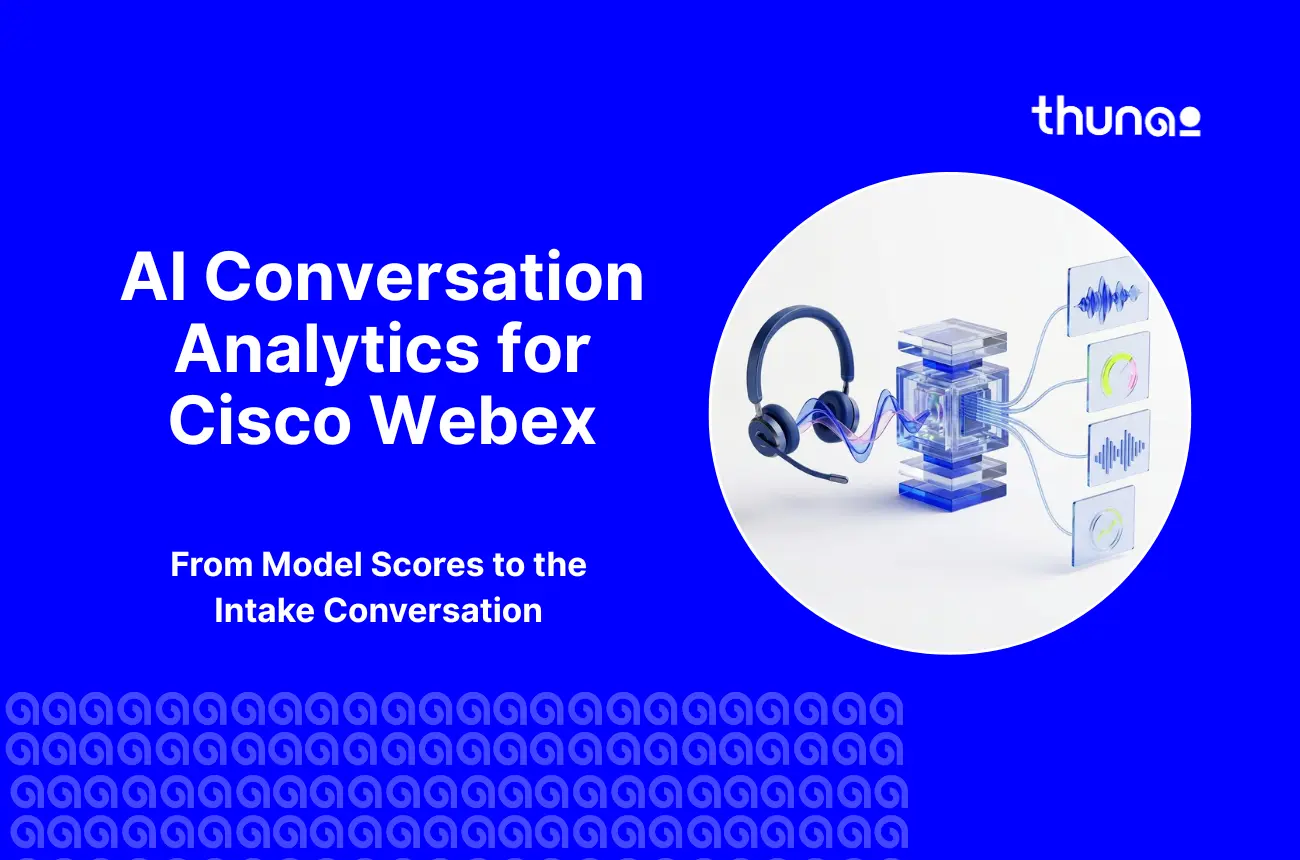
Webex AI Conversation Analytics is how you bridge that gap. It listens to every single call, not just a few.
Below, I'm going to take you through the capabilities of Cisco’s built-in tools, their limitations, and how to make the results actionable for coaching.
What is AI conversation analytics for Webex?
Webex Conversation Analytics are applications that transcribe, analyze, and score the ongoing conversations on Cisco Webex. They can be thought of as the fastest and tireless note takers ever. The input is the voice conversation and messages. The output is the analysis in terms of metrics, sentiments, and managerial insights that can be adopted by managers the very next day.
Webex Calling vs. Webex Contact Center: which analytics apply to you
Google tends to treat these two as one thing. They aren't, and the analytics you get differ a lot.
Webex Calling is the company phone system. Desk phones, back-office lines, basic queues. Native speech analytics? Pretty thin. That's why so many firms add Dubber, Imagicle, or Calabrio to record and transcribe.
Contact center operations are handled by the Webex Contact Center. Skill-based routing, agent desktop, queuing constraints, supervisor dashboard. These are some of the areas where analytics and quality management through AI become relevant.
Before you roll out AI conversation analytics for Webex, find out which platform your calls actually live on. Do it first. It'll save you a rework.
What AI call analysis for Cisco Webex captures
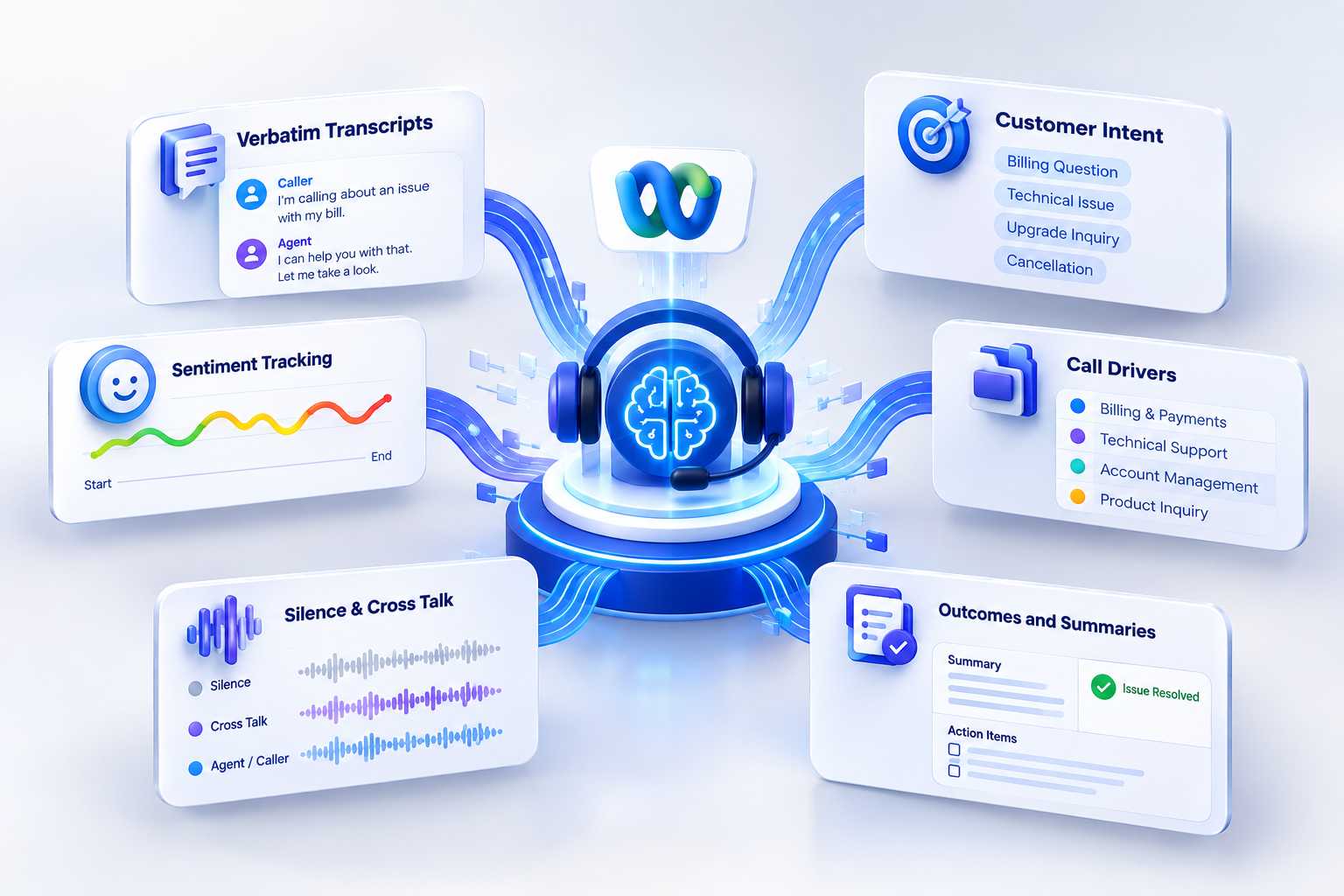
A busy center takes thousands of calls a day. With AI call analysis for Cisco Webex, speech models slice each one into pieces:
- Verbatim Transcripts: The call becomes text, with the caller and the agent kept on separate lines.
- Customer Intent: Language models work out why the person called. You stop guessing from wrap-up codes agents picked in a hurry.
- Sentiment Tracking: You see where a customer's mood, or an agent's, turned. Hello to goodbye.
- Call Drivers: Similar reasons get grouped into bigger business themes.
- Silence & Cross Talk: Silence, pauses, and cross talk are all noted.
- Outcomes and Summaries: A generative model is used to write the summary and extract action items, and see if the issue was resolved.
Curious how these pieces get graded? Read our complete guide to AI call scoring for Cisco Webex and visit our AI call scoring page.
The native Webex analytics stack, explained
Cisco scatters its conversation intelligence over add-ons, SKUs, and dashboards. If you're comparing options for AI conversation analytics for Webex, you need a clear picture of each tier.
Where native Webex analytics stop
The Cisco platform itself is solid. The native analytics, though, have edges, and you will bump into them. If you plan to lean on native AI conversation analytics for Webex, expect three limits.
- One: Topic Analytics reads English voice calls and nothing else. No web chat. No SMS. No other languages. It requires at least 2,000 previous interactions to begin clustering, and according to Cisco, the best practice is 7,000 for accurate clusters. First, the list of topics takes four hours to compile. Less than 25 words, or fewer than three exchanges, are labeled as "unassigned."
- Two: The in-house AI quality management speech analytics tool can analyze only cross-talk, ratio, and silence. Three triggers. It cannot detect agitation. It cannot detect any warmth, including that of an agent who is nervous and talking fast.
- Three: the external recordings require very limited support. In case the audio is stored within Amazon S3 or any other legacy storage, then the AI Quality Management won’t analyze those recordings until you create custom exports.
The loop: from AI conversation analytics for Webex to coaching
Numbers on a dashboard have never fixed an agent's habits. What works is a loop:
- Analyze: Take into consideration the recordings of voices, produce transcriptions, identify groupings of call drivers, and measure.
- Monitor: Monitor 100 percent of calls, instead of monitoring some percentage of them, and use alerts when it comes to identifying issues in their early stage.
- Coach: Listen to the actual audio recording of the agent while doing individual coaching. Work on just one behavior during each coaching session.
- Measure: Measure the performance of the agent after 30, 60, and 90 days. What difference is there?
Close the loop and your AI conversation analytics for Webex program pays its own way.
AI agent performance monitoring in Webex: the metrics that matter
With AI agent performance monitoring in Webex, supervisors find coaching chances in live calls and in post-call trends. Good AI conversation analytics for Webex gives you both views.
Live signals: sentiment shift, long silences, script adherence, when to barge in
- A supervisor who sees trouble live can still save the customer. Tools follow sentiment as it moves, and when a caller goes from calm to upset, the call lights up on the console.
- Silence tells you plenty too. Silence for fifteen seconds generally indicates that the agent is going through the knowledge base.
- In the case of noncompliance by the agent or if the agent is incapable of dealing with irate customers, then it is time for the supervisor to offer guidance himself.
Post-call trends: QA score, AHT, FCR, transfers, repeat contacts
- After the call, the numbers show habits. Average Handle Time (AHT) alone is a trap, because agents start rushing the hard ones.
- Put QA scores next to First Contact Resolution (FCR), transfer rates, and repeat contacts within 48 hours.
- Then a short call can be judged fairly: real efficiency, or a problem that's about to call back?
AI coaching for Webex Contact Center: from score to coaching moment
The score is an indicator of the problem. It doesn’t solve it. Cisco says that Webex AI Quality Management provides managers with over 11 hours weekly from automation of manual audits. Use them for coaching.
Good AI coaching for Webex Contact Center comes down to three habits:
- Clip-Level Evidence: Don't replay a thirty-minute call. Use a fifteen-second clip. It's fair, and it's a real moment the agent remembers.
- One Behavior per Session: Hand someone ten flaws, and they'll fix none. Pick one. Say, cut dead air by talking through lookup steps out loud.
- Follow-Up Measurement: Track the same evaluation questions for fourteen days. Did it stick?
Back every session with data from AI conversation analytics for Webex, and coaching stops sounding like opinion. For setup details, read our foundational Webex contact center guide.
Native or third party? A decision framework
Do the native tools get the job done? Not necessarily; it all depends on your configuration. Native tools suit your needs if you have just English voice queues, Flex 3.0 licenses, and Webex infrastructure only.
But most organizations have more complicated infrastructures. There may be multiple languages supported, other services such as messaging or social media, CRMs, etc.
For you, a specialized layer adds the most to AI conversation analytics for Webex.
How Thunai turns Webex conversations into coaching
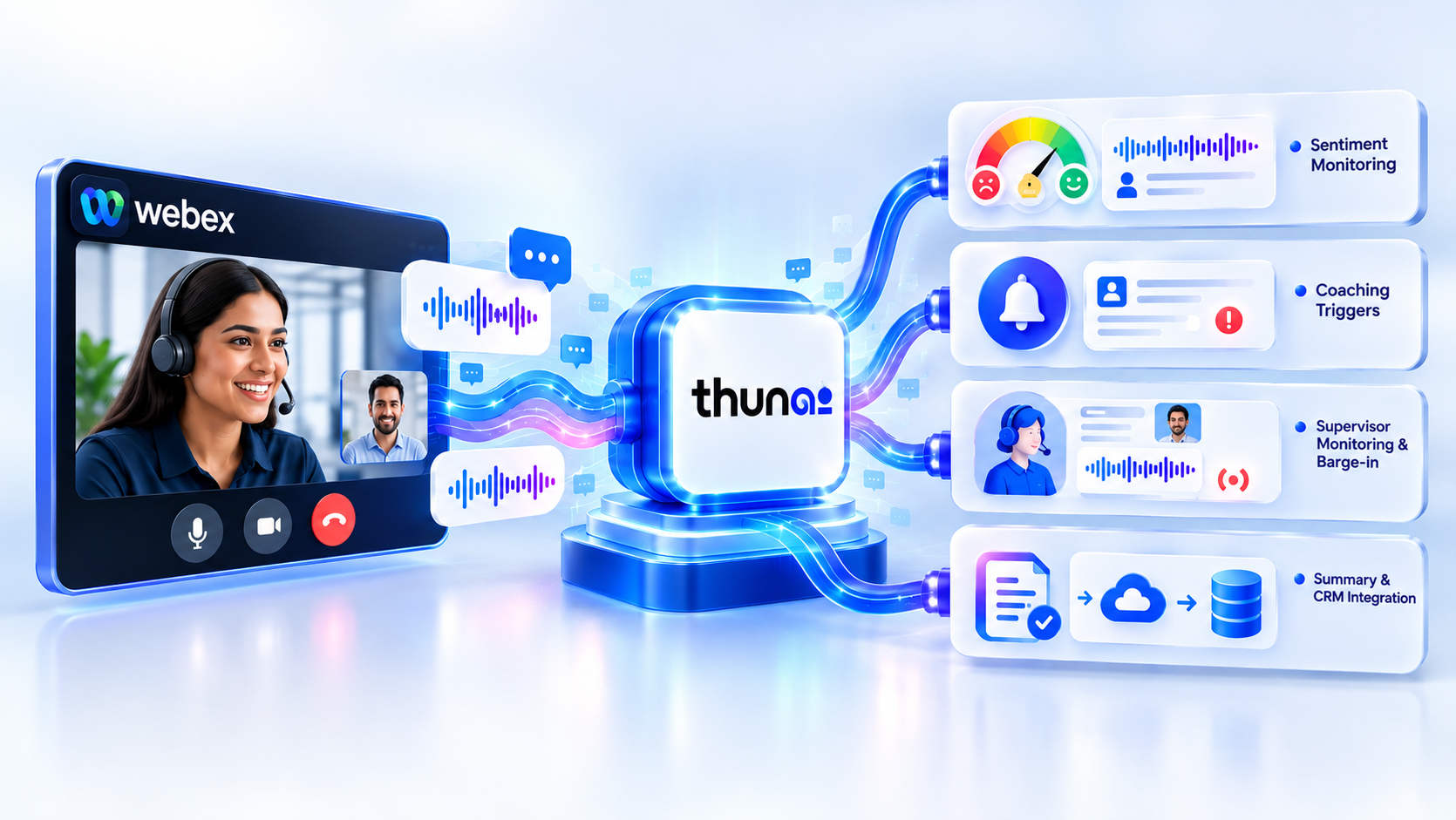
Thunai is a conversation intelligence and coaching platform that connects straight to Webex. The native tools count basic acoustic signals. Thunai reads context across human and digital conversations.
Here’s what you get by deploying Thunai for AI Conversation Analytics for Webex:
- Contextual Sentiment Monitoring: Captures the emotional essence of the call in real time and alerts leadership about the churn risk before the call ends.
- Automated Coaching Triggers: No human intervention is needed to identify the need for coaching, and the recording of the call is sent to the manager to listen to.
- Real-time Supervisor Monitoring & Barge-in: If there are any problems with the agent, it would be identified using real-time analysis, and whisper coaching or barge-in would be done.
- Auto-generated Post-Call Summary & CRM Integration: It provides auto-generated summaries for you, and case notes, contact drivers, and disposition are pushed into the CRM system.
Leaders use Thunai to drop manual QA audits and coach in a fair, steady way. One customer put it like this: "Thunai turned our raw Webex calls into actionable coaching moments. Our supervisors saved ten hours each week on evaluations, and our team resolution rate improved significantly within two months."
KPIs that prove coaching works
Want proof? Take two agent groups. Coach one. Leave the other alone. Compare. That's how you see the real effect of AI conversation analytics for Webex.
Gains from full visibility stack up over time. To see the scoring models behind this loop, explore our AI call scoring models and read our enterprise success stories.
Conclusion
The switch from spot checking to full visibility transforms the way a contact center operates. Connecting AI conversation analytics for Webex with coaching will help improve first-contact resolution, reduce handling time, and keep agents with you.
Either use the built-in Cisco capabilities or add a custom layer on top. In any case, AI conversation analytics for Webex makes your calls an investment in the future.
Ready to empower your supervisors and agents? Book a demo with Thunai today and watch AI conversation analytics for Webex work on real calls.
FAQs
Is there speech analytics integrated into Webex Contact Center?
Yes, via the Webex AI Quality Management extension. Three metrics are being measured: cross-talk, talk ratio, and dead air. In case you require phonetic search, emotion recognition, or support in another language, many teams opt to introduce an AI conversation analytics platform for Webex.
How does Cisco AI Assistant differ from Webex AI Quality Management?
Cisco AI Assistant is designed for assisting agents during and right after calls. They provide real-time assistance such as in-call responses, missed call summaries, transfer details, and Topic Analytics Clustering.
Webex AI Quality Management is intended for supervisors. It helps score calls with the help of automated rubrics and acoustic metrics, with coaching insights.
Which license do I need for Webex Topic Analytics?
Buy the Cisco AI Assistant add-on SKU (A FLEX AI ASST) under a Cisco Collaboration Flex 3.0 contract. Users also need administrator or supervisor rights in Control Hub and Supervisor Desktop. Sort licensing out early when you budget for AI conversation analytics for Webex.
Does Webex Topic Analytics work for non-English calls or chat?
Not at all. Only English voice. Non-English calls and standalone chat will be ignored; calls shorter than 25 words or three exchanges will be unassigned. If you have multilingual call traffic, then you definitely need another AI conversation analytics layer on top of Webex.
Can third-party tools analyze Webex calls recorded in Calabrio?
Yes, but you'll need an export workflow. Calabrio is Cisco's OEM workforce optimization partner. Admins build media export pipelines using Calabrio APIs, cloud storage buckets, or Webex recording capture points. Thunai can then run AI conversation analytics for Webex on the exported calls.
How do I track agent performance in Webex Analyzer?
Use the Agent Performance and Agent Statistics stock reports. Real-time reports refresh every 60 seconds. Historical ones update every 24 hours. You'll see handle times, occupancy, wrap-up times, and transfer volumes by team and queue, which pairs well with AI conversation analytics for Webex.