Imagine your support desk receives hundreds of emails, yet you continue to reply with the same boilerplate message to all of them!
Your customers wait while you miss many sales inquiries due to your unattended email inbox!
There is something that could help, but plain auto-responses cannot always handle the challenge.
The following guide will walk through 15 automated email response examples, best practices for automating the process, and benefits of AI email agents over plain acknowledgments.
What is an automated email response?
An automated email response is a message you write once. It goes out the moment someone emails you.
Four kinds are common: the simple acknowledgment, the out-of-office notice, the rule-based canned reply, and the AI-written reply. Good Automated Email Responses always set clear expectations.
When an auto-reply helps and when it hurts
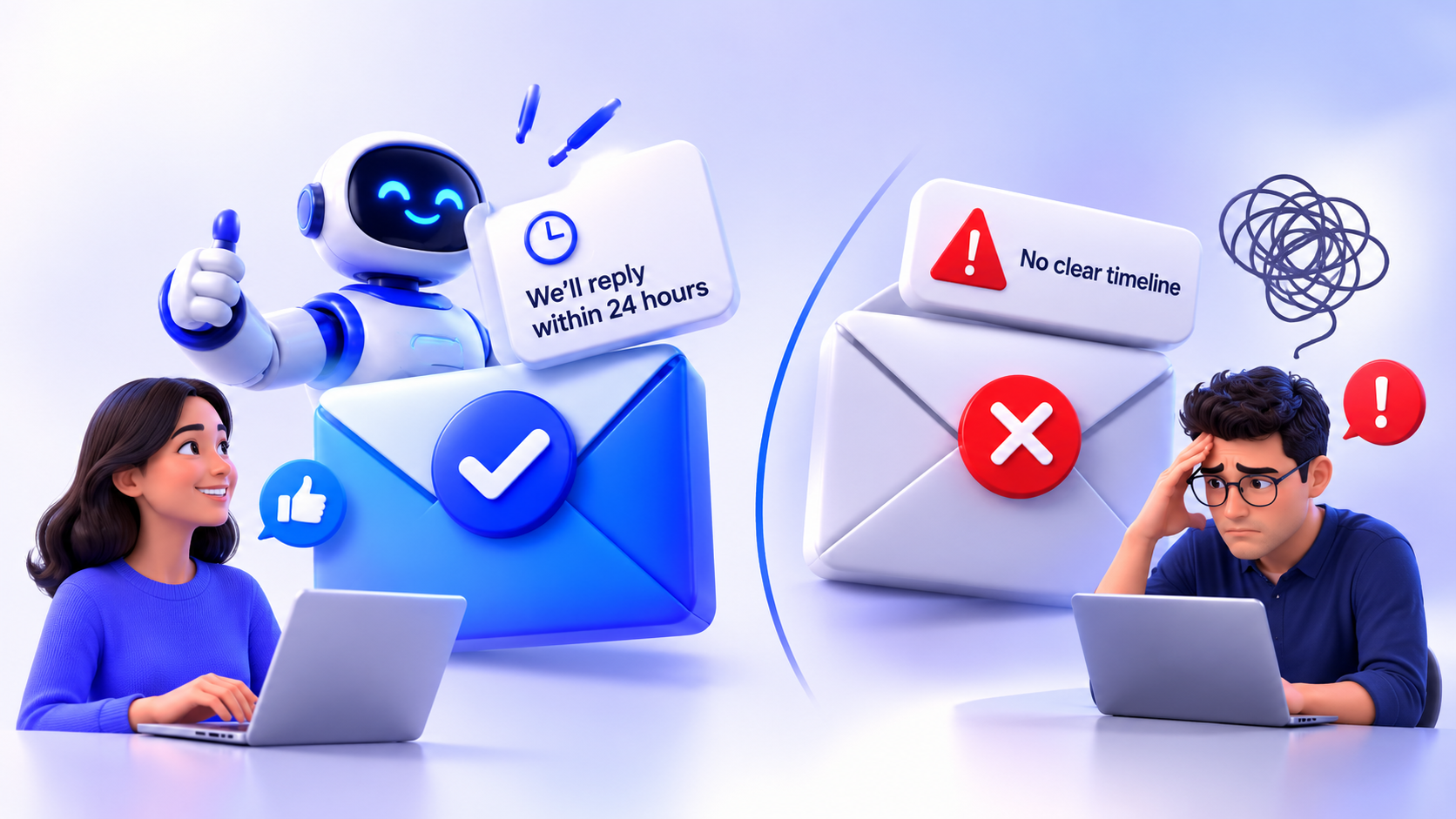
- An email auto-responder helps when it confirms receipt.
- It gives a clear time frame. It points people to self-service options.
- Customers stop wondering if their note got lost.
- Strong Automated Email Responses build trust.
- Bad ones do real harm. They say nothing useful.
- They promise a reply time your team misses.
- A generic message sent to an angry customer only adds fuel.
- A poor setup can also trigger endless reply loops, which wreck your deliverability.
- Weak Automated Email Responses cost more than they save.
15 automated email response examples
Each example has a subject line, body text, and a short usage note. Paste these Automated Email Responses straight into your system. Well-written Automated Email Responses save your team hours every week.
Support acknowledgment (3 examples)
1. Standard support receipt
Subject: Request received: [Ticket Number]
Hi [Name],
We got your request. Our support team will review it and reply within 24 hours. Your ticket number is [Ticket Number].
Thanks,
The Support Team
Note: Use this for everyday helpdesk Automated Email Responses.
2. High-volume period
Subject: Update on your recent support request
Hi [Name],
We are seeing a lot of questions right now. Replies may take up to 48 hours. Thank you for your patience while we work through the queue.
Thanks,
The Support Team
Note: Switch to this during product launches or sudden outages.
3. Urgent issue received
Subject: Urgent ticket received: [Ticket Number]
Hello [Name],
Your urgent issue has been logged as [Ticket Number]. It has been put into our priority queue. The engineer is currently investigating the alerts on the system. You should hear back from us within an hour.
Thank you,
The Escalation Team
Note: Urgent automated email responses help keep users calm during system downtime.
After hours and holidays (2 examples)
4. Standard after-hours
Subject: Support desk closed
Hi [Name],
We are available Monday through Friday, 9 AM to 5 PM (EST). We will respond the next business day. In case of emergencies, please use our self-service portal at [Link].
Thank you.
The Support Desk Team
Remark: After-Hours Automated Email Responses inform your clients precisely when you’ll be back.
5. Holiday closure
Subject: Holiday closure notice
Hi [Name],
Our office is closed for the holidays. We reopen on [Date]. Our staff will go through all pending messages when we return. You can find urgent help at [Link].
Happy Holidays,
The Support Team
Note: Holiday Automated Email Responses cover long corporate breaks.
Orders, billing, and account (3 examples)
6. Order received
Subject: Order Confirmation: [Order Number]
Hi [Name],
Your order has been received. Processing time is one day. We will provide a separate tracking link when your order ships.
Thank you,
Fulfillment Team
Note: Shipping timeline must be included in E-commerce Automated Email Response.
7. Refund request received
Subject: Refund request status
Hi [Name],
Our billing team got your refund request. It takes 3 to 5 business days to process. You will get a confirmation email once the funds reach your payment method.
Thanks,
The Billing Team
Note: Billing Automated Email Responses prevent duplicate tickets.
8. Password or access request
Subject: Account access request received
Hi [Name],
Our system received a password reset request. If your account is eligible, an administrator will send a secure reset link soon.
Security Team
Note: Keep security replies a little vague so you don’t leak data.
Sales enquiries and demo requests (3 examples)
9. Enquiry received
Subject: Thanks for reaching out to sales
Hi [Name],
A sales rep will review your inquiry and reply within one business day. Meanwhile, take a look at our recent case studies here: [Link].
Thanks,
The Sales Team
Note: Sales Automated Email Responses should feel warm and helpful.
10. Demo request with a booking link
Subject: Schedule Your Software Demo
Hi [Name],
Thank you for requesting the demo. Please choose a convenient time for you from our team calendar here: [Link]
Best regards,
The Sales Team
Point to note: Demo Automated Email Responses do away with the need for back-and-forth scheduling.
11. Pricing request
Subject: Pricing details request
Hi [Name],
Our team is putting your pricing details together. A rep will share your custom quote shortly.
Thanks,
The Sales Team
Note: Explore Pillar B7 for full sales follow-up templates, and see [Thunai blog: sales email follow-up templates].
Out of office (2 examples)
12. Short absence message
Subject: Out of office till [Date]
Hi,
I will be away from the office until [Date], without any internet access. In case of emergency, kindly contact [Name] at [Email].
Thanks
Note: Keep it short and refer to an external site for instructions. Out of office Automated email responses ensure clients are aware.
13. Long absence with a named backup
Subject: Extended leave notice
Hi,
I am on extended leave until [Date]. [Backup Name] is handling all my active accounts. Please send urgent emails to [Backup Email].
Thanks
Note: Use this for extended medical or parental leave.
Feedback and follow-up (2 examples)
14. Post-closure Survey
Subject: Case closed. How did we do?
Hello [Name],
We've recently closed your support ticket as resolved. Could you please take this quick feedback survey? [Link]
Sincerely,
Customer Success Team
[Feedback Automation Email Response trigger after agent case closure]
15. Check-in after no reply
Subject: Checking in on your request
Hi [Name],
We have not heard back on this ticket. Is the issue solved? If we don’t hear from you, we will close the ticket in 3 days.
Thanks,
The Support Team
Note: This clears idle tickets from your queue.
How to write an automatic reply that sounds human
Human sounding Automated Email Responses follow six simple rules.
- Say what happens next, and when.
- Keep to one link.
- Use a plain subject line.
- Sign from a real team.
- Never use a no-reply address.
- Test it on a phone screen.
How to set up automated responses in Gmail and Outlook
Setting up native Automated Email Responses is easy. Gmail has a Vacation Responder in its general settings. Outlook has Automatic Replies in its main menu.
But both share a big flaw. They send the same message to everyone. They have no clue what the sender actually asked.
The automation ladder: from auto-reply to AI agent
Smart teams handle email volume by climbing the automation ladder. Many guides skip this part. Basic Automated Email Responses sit on the first rung.
Signs you have outgrown auto-replies
Basic Automated Email Responses break as your business grows. Three signs tell you it’s time to upgrade. First, the same ten questions flood your inbox. Second, replies take longer than one business day. Third, your team pastes templates all day. You can reply to emails faster with Thunai.
How Thunai sends automated email responses
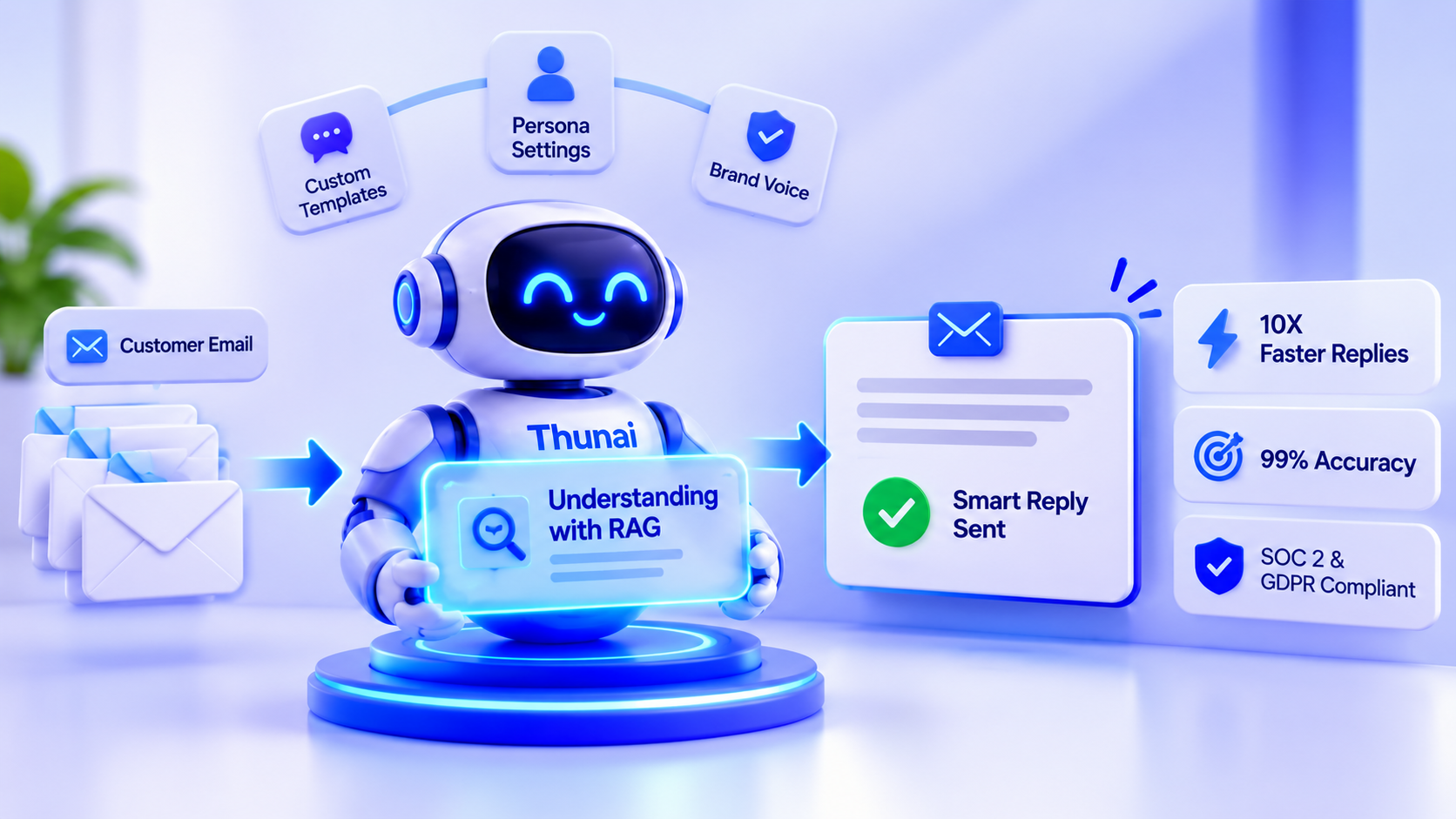
Basic tools only send static receipts. Thunai changes how you handle Automated Email Responses. It reads the intent behind each message. It finds the right answer using Retrieval-Augmented Generation (RAG). Then it resolves the issue.
Thunai offers Automated Email Responses, custom templates, and persona settings. You edit the templates once.
The AI email agent then answers incoming questions using your rules. It reflects your brand voice and addresses the true issue, not just the receipt. You can reply to emails 10X faster.
Thunai is one of the leading AI-powered customer support tools in 2025. It is used for handling bulk requests and ensures 99 percent accuracy.
The SOC 2 and GDPR compliances of Thunai are appreciated by enterprise customers. Its support staff is equally efficient.
Stop letting repetitive emails slow your team down. Book a Thunai demo today and see how AI email agents can automate customer responses and resolve queries 10X faster.
FAQs
What is a good automatic reply for email?
A good automatic reply sets clear expectations. Try this model: “We received your request and will reply within 24 hours. For emergencies, please visit the self-service portal.”
Can you automate email responses?
Yes. You can build Automated Email Responses at four levels. Use a simple vacation responder. Build rule-based canned replies. Let AI draft messages for review. Or deploy autonomous AI agents that act.
How do you write an automatic reply email?
Follow three steps. First, acknowledge the message. Second, state when a human will review the issue. Third, give one relevant link for instant self-service.
Is an AI email responder better than an autoresponder?
Yes, for real questions. An AI email responder can answer what the customer actually asked. You don’t need an AI auto-reply just to send a simple receipt, though, since basic Automated Email Responses handle that well. Explore Pillar B1 for advanced AI strategies.